How can self-service kiosks be configured with software mechanisms to prevent system freezes?
Dec 19, 2025In the world of automated retail and hospitality, a "System Out of Order" sign is more than a technical glitch—it is a lost revenue opportunity and a blow to customer trust. As self-service kiosks, like the Aonpos APK06 Series, become more complex with integrated printers, scanners, and NFC readers, the risk of software "hangs" increases.
To achieve maximum uptime, businesses must move beyond high-quality hardware and implement robust software fail-safes. Here is a deep dive into the software mechanisms that prevent system freezes and keep your kiosks running 24/7.
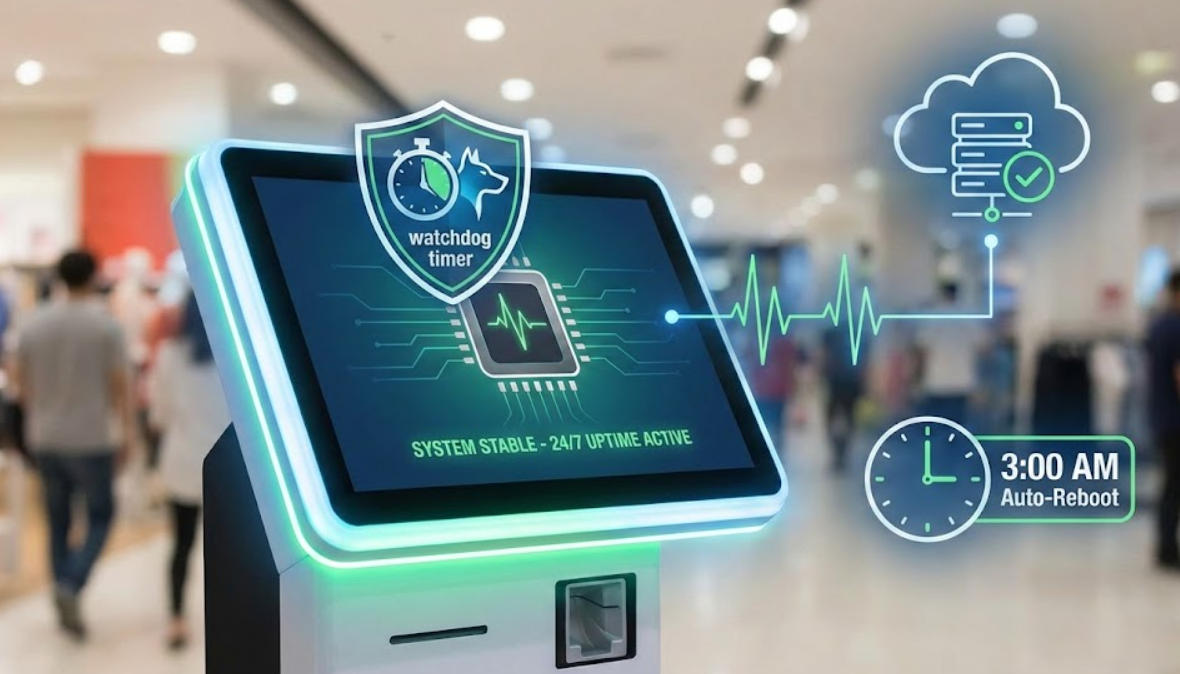
A Software Watchdog is the most critical line of defense for unattended terminals. It acts as an independent "guardian" process that monitors the primary application.
How it works: Your main kiosk app sends a "heartbeat" signal to the Watchdog at set intervals (e.g., every 30 seconds). If the app freezes due to a memory leak or a coding loop, the heartbeat stops. The Watchdog immediately detects the silence and triggers an automatic restart of the application.
The Aonpos Advantage: Devices like the Aonpos Self-Service Payment Kiosk are designed to support advanced Watchdog configurations on both Windows and Android 11, ensuring the system "self-heals" without human intervention.
While a local watchdog handles application crashes, a network-level heartbeat ensures the entire system is online.
The Mechanism: The kiosk software periodically pings a central management server. If the server fails to receive a ping within a specific window, it alerts the IT team or triggers a remote power cycle via a managed PDU.
Pro Tip: Use the Aonpos Kiosk SDK to integrate hardware-level status reporting. This allows your software to monitor not just the OS, but also the health of peripherals like thermal printers and QR scanners, preventing a "partial freeze" where the screen works but the payment terminal is dead.
Even the most stable software can suffer from fragmented memory over time.
The Solution: Configure Automated Maintenance Windows. Setting your kiosks to perform a full system reboot at 3:00 AM clears the RAM cache, re-initializes peripheral drivers (like the built-in 80mm printers), and installs critical security patches.
Best Practice: Ensure your kiosk uses a Unified Write Filter (UWF) on Windows-based Aonpos models. This keeps the OS drive in a "read-only" state, preventing disk corruption—one of the leading causes of long-term system instability.
System freezes often occur because one process consumes 100% of the CPU or RAM, "choking" the rest of the OS.
The Fix: Modern kiosk software should utilize Resource Limits. By capping the kiosk application's RAM usage (e.g., to 70% of available memory), you ensure the Operating System always has enough overhead to remain responsive, allowing remote admin tools to still function even if the main app is struggling.
Most freezes are caused by Peripheral Conflicts (unresponsive printer drivers), Memory Leaks (apps consuming RAM over time), or Network Latency (the app "hanging" while waiting for a server response). Aonpos kiosks mitigate these issues through high-performance Intel Core i3/i5/i7 processors and optimized Android 11 firmware.
Yes. By using Remote Monitoring and Management (RMM) tools integrated with the Aonpos SDK, administrators can perform "Hard Resets" or "Soft Restarts" from a central dashboard, eliminating the need for expensive on-site technician visits.
Absolutely. Windows 10 IoT and Android 11 are the industry standards for stability. Aonpos offers both configurations, allowing you to choose the platform that best fits your existing software stack while maintaining high availability.
A modular design, like that of the APK06 model, allows peripherals to be isolated. If a printer fails, the software can be configured to simply disable the "Print" button rather than freezing the entire transaction flow, ensuring the kiosk remains partially functional.
Reliability is a combination of Rugged Hardware and Smart Recovery Software. By combining the industrial-grade build of Aonpos kiosks with mechanisms like Watchdog Timers and scheduled reboots, you can ensure your customers never face a frozen screen.
Tel / Whatsapp : +86 -15999943922
بريد إلكتروني : nikki@aonpostech.com


© 2026 شنتشن Aonpos التكنولوجيا المحدودة .كل الحقوق محفوظة