Aonpos الكل في مكان واحد
  • Advantages of modular customization of self-service kiosks
    Advantages of modular customization of self-service kiosks Dec 19, 2024
    In an era of rapidly evolving consumer expectations, businesses must adopt flexible and innovative solutions to remain competitive. Modular customization of self-service kiosks is becoming a transformative approach that provides unparalleled adaptability and efficiency to a wide range of industries. This article explores the advantages of modular customization and how it can revolutionize operations, improve customer satisfaction, and drive business growth. What is modular customization? Modular customization refers to the ability to design self-service kiosks using interchangeable modules or components. It is convenient to increase or decrease the use units at any time in response to different application scenarios, so that they can be replaced independently without the help of manufacturers, which is more efficient and direct. - Customize functions to meet specific operational needs. - Upgrade or replace parts without interrupting the entire system. - Efficient expansion to adapt to changes in demand or technology. Examples of modular functions include payment terminals, touch screen sizes, printers, cameras, status lights, making self-service kiosks highly versatile in various industries. 1. Flexibility to meet unique business needs Every business has unique requirements, and a one-size-fits-all approach often fails to meet the needs. Modular kiosks enable businesses to: - Customize features such as payment methods (credit card, NFC, QR code,Camera,). - Integrate branding with tailored interface design and physical aesthetics. - Adapt to industry-specific needs, such as adding a ticketing module for transportation or a barcode scanner for retail. Example: A fast food chain can deploy kiosks with modular components for ordering, payment, and loyalty program integration, ensuring a seamless customer experience. 2. Cost-effective upgrades and maintenance Traditional kiosks often require replacing the entire system for upgrades or repairs, resulting in high costs and downtime. Modular customization addresses this challenge by: - Allowing individual components to be upgraded or replaced independently. - Reducing maintenance costs with easily replaceable modules. - Ensuring minimal disruption to operations. Example: A retailer can upgrade only the payment module to support new payment technologies without replacing the entire kiosk. --- 3. Enhanced scalability to meet the needs of growing businesses As businesses grow, their needs change. Modular kiosks offer scalability by: - Add new features as needed. - Expand deployments across multiple locations with tailored configurations. - Quickly adapt to seasonal demands or changing customer preferences. Example: During peak shopping seasons, retailers can add more kiosks or equip existing kiosks with faster processors to handle increased traffic. --- 4. Improve sustainability and lifespan Sustainability is becoming an important consideration for modern businesses. Modular kiosks promote sustainability by: - Extending product lifecycles, as individual components can be replaced or upgraded. - Reducing e-waste by avoiding full system replacements. - Supporting energy-efficient modules to reduce operating costs. Example: Healthcare providers can update only the software module on a patient registration kiosk, reducing waste and maintaining efficiency. 5. Faster deployment and time to market Traditional custom solutions can take months to design and implement. Modular kiosks accelerate deployment by: - Leveraging pre-designed modules that can be assembled quickly. - Reducing lead time for customization and installation. - Allows businesses to quickly respond to market trends and customer demands. Industries that benefit from modular self-service kiosks Retail - Customizable checkout kiosks with integrated loyalty programs. - Modular scanners and printers for efficient inventory management. Food services - Ordering kiosks with interchangeable menu interfaces. - Integration with kitchen management systems for seamless order processing. Healthcare - Patient registration kiosks with modular biometric scanners. - Customized components for insurance verification and payment. Transportation - Ticketing kiosks with adaptable payment and printing options. - Real-time integration with dispatch and information systems. --- Future trends in modular customization The potential of modular self-service machines continues to expand as technology advances: AI modules: Enable personalized user experience and predictive maintenance. IoT integration: Facilitate real-time monitoring and remote updates. Sustainable materials: Advances in eco-friendly materials Businesses that invest in modular customization now will be well positioned to adapt to these future innovations and remain competitive. Conclusion Modular customization of kiosks provides businesses with the flexibility, cost-effectiveness, and scalability they need to thrive in today’s dynamic marketplace. By taking this approach, companies can deliver exceptional customer experiences, optimize operations, and stay ahead of technology trends. Ready to transform your business with modular kiosks? Contact us today to explore custom solutions that meet your unique needs.
  • Four Things Bulk Buyers Should Know About Self-Service Machines
    Four Things Bulk Buyers Should Know About Self-Service Machines Dec 10, 2024
    As a bulk buyer, investing in self-service machines can be a transformative decision for your business. These machines, designed to automate and streamline operations, are becoming essential across various industries, from retail and food service to healthcare and transportation. However, before making a large-scale purchase, there are critical factors to consider to ensure your investment delivers maximum value. Here are four key things bulk buyers need to know about self-service machines. 1. Customization Is Key Bulk buyers often require machines that align perfectly with their brand and operational needs. Fortunately, self-service machines can be customized to include: Branded Interfaces: Incorporate your logo, colors, and design elements. Specific Functionalities: Tailor features such as payment methods, language options, or product displays. Hardware Adjustments: Modify screen sizes, printers, or peripheral devices to suit your use case. Why It Matters: Customization ensures a seamless user experience, strengthening brand identity and improving customer satisfaction. Tip: When negotiating with suppliers, ask about their customization capabilities and how these align with your business requirements . 2. Total Cost of Ownership (TCO) Matters More Than Initial Cost While upfront costs are a critical factor, the total cost of ownership (TCO) provides a clearer picture of long-term expenses. TCO includes: Maintenance Costs: Regular software updates, hardware repairs, and cleaning. Energy Efficiency: Machines with low power consumption reduce utility bills. Durability: High quality self-service machinemachines last longer, lowering replacement costs. Why It Matters: Choosing cheaper machines might save money initially, but they could incur higher maintenance and operational costs over time. Tip: Evaluate suppliers’ warranties and support services to minimize unexpected expenses. 3. User Experience Drives Adoption A machine’s success depends on how intuitive and efficient it is for end users. Bulk buyers should prioritize: Ease of Use: Simple interfaces with clear instructions. Accessibility Features: Touchscreens, voice commands, and adjustable heights for universal accessibility. Speed: Fast response times to minimize user wait times. Why It Matters: If customers or employees find the machines difficult to use, adoption rates will drop, and the machines won’t deliver the expected benefits. Tip: Request a demo or pilot phase to gather feedback from actual users before full deployment. 4. Emerging Technologies Are a Game-Changer The self-service machine industry is rapidly evolving, with new technologies enhancing their functionality and appeal. Consider machines that incorporate: AI-Powered Recommendations: Suggest products or services based on user behavior. IoT Capabilities: Enable remote monitoring and predictive maintenance. Contactless Payment Options: Cater to the growing demand for secure, touch-free transactions. Why It Matters: Staying ahead of technological trends ensures your investment remains relevant and future-proof. Tip: Partner with suppliers that regularly update their machines and offer scalable solutions. Conclusion Purchasing self-service machines in bulk is a significant decision that requires careful planning and consideration. By focusing on customization, understanding the TCO, ensuring system integration, prioritizing user experience, and embracing emerging technologies, bulk buyers can maximize their investment and deliver better outcomes for their businesses. Ready to explore bulk buying options? Please contact Shenzhen Aonpos Technology Co., Ltd .
  • Best Self-Service Ordering Machine Manufacturers and Suppliers in China
    Best Self-Service Ordering Machine Manufacturers and Suppliers in China Jan 26, 2026
    Walk into a modern restaurant, food court, or convenience store almost anywhere in the world, and you’ll see the same thing: customers ordering from a screen instead of a counter. Behind many of those screens are self-service ordering machine manufacturers in China, quietly powering the shift toward faster, smarter, and more efficient service. China isn’t just assembling these machines—it’s shaping how they’re designed, customized, and deployed globally. For brands, distributors, and system integrators, choosing the right self-service ordering machine supplier in China has become a strategic business decision rather than a simple sourcing task. This article looks at why China dominates this market, what to expect from leading suppliers, and which manufacturers are worth paying attention to. Why China Has Become the Go-To Source for Self-Service Ordering Machines China’s strength in this industry isn’t accidental. It’s the result of years of investment in electronics manufacturing, software integration, and commercial hardware design. For buyers, the advantages are practical and measurable: Everything is built locally – touch displays, industrial PCs, scanners, printers, payment modules, and metal housings OEM and ODM are standard, not “special requests” Cost control is realistic, even for customized orders Export experience is mature, with CE, FCC, and RoHS compliance widely supported This combination makes Chinese factories especially competitive in producing restaurant self-ordering machines, touch screen ordering kiosks, and integrated POS ordering systems at scale. What Chinese Self-Service Ordering Machine Manufacturers Actually Produce A common misconception is that Chinese suppliers only offer “generic kiosks.” In reality, most self-service ordering machine manufacturers in China offer highly configurable product lines, including: Floor-standing and wall-mounted self ordering kiosks Touch screen POS ordering machines for restaurants QR-code and mobile-payment-based ordering terminals Outdoor self-service ordering machines with weatherproof enclosures Multi-language, multi-currency systems for international markets These machines are already widely used in fast food chains, cafés, cinemas, hospitals, airports, and retail environments across North America, Europe, and Southeast Asia. What Separates a Good Supplier from a Risky One From a buyer’s perspective, the real difference between suppliers shows up after the machines are installed. Experienced self-service ordering machine suppliers in China usually share a few traits: Industrial-grade touch screens built for long daily operating hours Stable operating systems (Android, Windows, or Linux) Smooth integration with POS, ERP, and kitchen display systems Support for modern payment methods (QR code, NFC, card, cashless) Clear processes for customization, testing, and firmware updates In short: they think like long-term partners, not short-term sellers. Top Self-Service Ordering Machine Manufacturers and Suppliers in China Below are five established self-service ordering machine manufacturers or suppliers in China that are frequently mentioned by international buyers. This is not a ranking, but a practical reference list. 1. GRG Banking (GRGBanking) Originally known for banking automation, GRG Banking has expanded into commercial self-service terminals with strong engineering depth, high reliability standards, and large-scale deployment experience. 2. Hisense Commercial Display Hisense brings strong display technology into the self ordering kiosk space, making it a solid choice for projects where screen quality, brand image, and long-term stability matter. 3. Sunmi Technology Sunmi is widely used in the food service sector, particularly for Android-based restaurant self-ordering machines. Its products are popular with chains looking for modern design and a ready-made software ecosystem. 4. Aonpostech Aonpostech focuses on customized self-service ordering machines and smart POS terminals, with flexible OEM and ODM services. The company is often chosen by overseas distributors and system integrators who need tailored hardware configurations and consistent export support. 5. PAX Technology Best known for payment terminals, PAX offers integrated self-service ordering solutions with strong security and payment compatibility—an important factor for international restaurant and retail deployments. Together, these companies reflect the range of options available from self-service ordering machine suppliers in China, from large-scale industrial players to flexible OEM-focused manufacturers. How to Choose the Right Self-Service Ordering Machine Supplier in China If you’re sourcing for the long term, price alone shouldn’t drive the decision. A professional evaluation usually includes: Manufacturing transparency – factory access, testing processes, quality control Customization depth – real OEM/ODM capability, not just logo printing Export track record – documentation, certifications, and logistics support Technical communication – clear answers, firmware support, update cycles Scalability – the ability to support repeat orders and market expansion The best self ordering kiosk manufacturers in China understand that your success in the market is tied directly to theirs. China’s Growing Influence in the Global Self-Ordering Market China’s role has evolved from “hardware supplier” to solution provider. Many manufacturers now combine industrial design, embedded software, payment integration, and cloud-based management into a single offering. For international buyers, this means faster deployment, better customization, and more competitive pricing—without sacrificing reliability. Choosing the right self-service ordering machine manufacturer & supplier in China can significantly impact customer experience, operational efficiency, and long-term costs. With the right partner, these machines become more than hardware—they become a scalable part of your business infrastructure. China remains one of the strongest sourcing options in the world for businesses ready to invest in smart, automated ordering solutions.
  • Self-Service Payment Kiosks Built for Chain Supermarkets: Centralized Control Without the Complexity
    Self-Service Payment Kiosks Built for Chain Supermarkets: Centralized Control Without the Complexity Feb 09, 2026
    Running a chain supermarket is rarely about a single store. The real challenge begins when you’re managing dozens—or hundreds—of locations at the same time. Inventory needs to stay accurate, promotions must be consistent, data has to be reliable, and checkout lines can’t slow customers down. For many large retailers, self-service payment kiosks have become a practical solution—not as a trend, but as an operational upgrade. At Aonpostech, we work directly with supermarket chains and large retail groups to manufacture self-service payment kiosks designed for multi-store environments, where centralized management and scalability actually matter. When More Stores Mean More Complexity As supermarkets expand, small inefficiencies turn into big problems: Different systems across stores lead to data gaps.Inventory updates don’t sync in real time.Promotions are rolled out inconsistently.Checkout labor costs keep rising. Customers, meanwhile, expect faster checkout and flexible payment options—especially during peak hours. This is where a self-service checkout system designed for chain supermarkets makes a real difference. Not just at the front end, but behind the scenes as well. One Backend, All Stores Under Control A key requirement for chain retailers is centralized management. Aonpostech self-service payment kiosks connect every store to a single backend platform, allowing headquarters to: Monitor all kiosks across locations in real time Push system updates, price changes, and configurations remotely Track device status and receive maintenance alerts Instead of managing each store individually, operations teams can control everything from one place—saving time and reducing operational risk. Real-Time Inventory That Actually Stays Accurate Inventory accuracy is often one of the first things to break as a chain grows. Our self-service payment kiosks support real-time inventory synchronization, integrating with existing POS or ERP systems. Every transaction updates stock levels instantly, across all connected stores. For supermarket chains, this means: Fewer out-of-stock surprises Better replenishment planning Clear visibility into product movement across regions Reliable inventory data isn’t just about operations—it directly affects sales and customer trust. Unified Reports Instead of Fragmented Data When data is spread across systems, decision-making slows down. With Aonpostech kiosks, sales data from every store is consolidated into a single reporting system. Retail teams can generate unified reports covering: Total sales and transaction volume Store-by-store performance comparisons Peak shopping hours and product trends This level of data integration gives management a clearer picture of what’s actually happening across the entire retail network. Easier Promotion Management Across All Locations Managing promotions across multiple supermarkets is rarely simple. Our self-service checkout kiosks allow centralized promotion management, making it possible to: Create and schedule promotions from headquarters Sync discounts automatically to all kiosks Apply store-specific or regional pricing rules when needed Whether it’s seasonal campaigns or limited-time offers, promotions stay consistent—without manual adjustments at each store. Multiple Payment Methods, One Checkout Experience Payment preferences vary by region, customer group, and even time of day. Aonpostech self-service payment kiosks support multiple payment methods, including: Credit and debit cards Mobile and QR-code payments NFC and digital wallets Optional cash payment modules Offering flexible payment options helps supermarkets reduce queue times and improve the overall checkout experience—especially in high-traffic locations. Hardware Designed for Busy Supermarkets As a China-based self-service kiosk manufacturer, we design our hardware for real-world retail conditions. Our kiosks feature: Industrial-grade components for long daily operation Modular structures for easier maintenance Touchscreens optimized for fast, intuitive use Compact designs suitable for supermarket layouts They’re built to handle continuous use in large supermarkets, hypermarkets, and chain retail stores. Manufacturer-Level Customization and Bulk Supply Every supermarket chain operates differently. That’s why customization matters. Aonpostech provides OEM and ODM services, supporting: Bulk production for large-scale rollouts Hardware customization (screen size, payment modules, branding) Software and system integration Localization for different markets and payment standards Working directly with the manufacturer allows retailers to control costs, quality, and long-term scalability. Why Supermarket Chains Work with Aonpostech Our partners don’t just choose a device—they choose a long-term solution. Retail chains work with Aonpostech because we offer: Experience in large-scale kiosk manufacturing Flexible customization for complex retail environments Stable supply for multi-store deployments Ongoing technical support and system optimization From pilot projects to nationwide rollouts, our self-service payment kiosks are built to grow with your business. A Smarter Checkout Strategy for Chain Retailers Self-service payment kiosks are no longer just about reducing queues. For chain supermarkets, they’re a way to simplify management, improve data accuracy, and create a more consistent checkout experience across all stores. With centralized control, real-time inventory, unified reporting, promotion management, and multi-payment support, Aonpostech helps supermarkets build checkout systems that scale. If you’re looking for a self-service payment kiosk manufacturer for chain supermarkets, Aonpostech is ready to support your next stage of growth.
  • Top Chinese OEM All-in-One POS Machine Manufacturers in 2025
    Top Chinese OEM All-in-One POS Machine Manufacturers in 2025 Dec 05, 2025
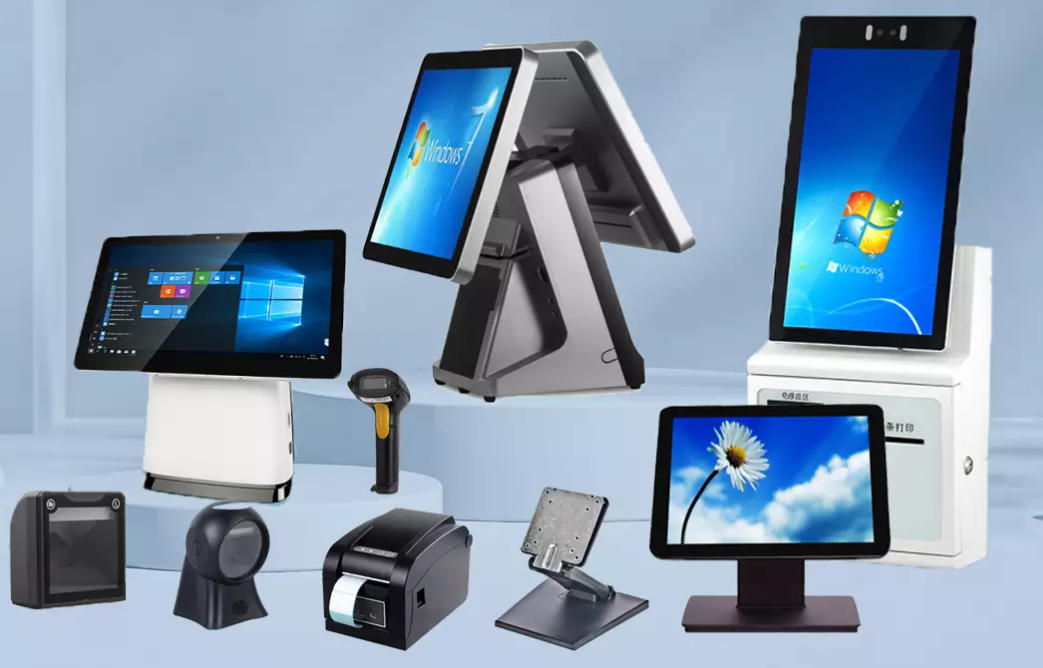
    AONPOS Leads the Industry With Customizable, High-Performance POS Solutions China has become a global hub for high-quality, customizable POS hardware, especially for businesses seeking OEM/ODM all-in-one POS machines for retail, hospitality, and kiosk applications. Among the many manufacturers in the market, a handful stand out in terms of engineering capability, product performance, and customization flexibility. Below are the top Chinese OEM/ODM all-in-one POS machine manufacturers in 2025—with AONPOS taking the #1 spot for its innovation, reliability, and customer-first OEM services. 1. AONPOS Technology Co., Ltd. — The #1 Choice for OEM/ODM All-In-One POS Systems AONPOS is widely regarded as one of China’s most capable and reliable manufacturers of OEM all-in-one POS terminals, offering a complete selection of touch-screen POS systems, kiosks, monitors, and peripheral devices. Why AONPOS Leads the Market Strong OEM/ODM expertise — custom branding, housing, OS configuration, and component customization Global-grade hardware engineering with strict quality control Complete product ecosystem including POS terminals, printers, scanners, and kiosks Flexible MOQs suitable for startups, distributors, and enterprise clients Excellent global export support, ideal for partners in the U.S., Europe, and the Middle East What AONPOS Offers 12–15.6" all-in-one touch POS systems Dual-screen or single-screen configurations Windows / Android OS options Built-in printer / NFC / MSR / scanner integrations Fully customized OEM branding and firmware AONPOS stands out not only for product quality but for their responsive engineering team, making them the ideal choice for businesses needing custom POS solutions at scale. 2. OAWELL Products Co., Ltd. OAWELL manufactures a wide range of POS systems, including all-in-one terminals, receipt printers, and touch kiosks. They offer reliable OEM/ODM services and have a strong presence in the global market. Highlights: Full POS hardware catalog Solid quality and good export experience Suitable for mid-range to premium POS project requirements 3. MINJCODE (Minjie Technology) MINJCODE provides compact to full-size all-in-one POS systems with no strict MOQ, making them a good option for small-volume custom orders. Highlights: 5"–15.6" POS terminals Quick delivery times Cost-effective OEM customization 4. OCOM Technologies Ltd. OCOM is known for being a consistent mass supplier of POS hardware for international distributors. Highlights: Full POS ecosystem (printers, scanners, terminals) Supports brand/logo customization Good choice for large-volume orders 5. Shenzhen DJS Co., Ltd. DJS produces POS PCs, touch terminals, and mini-PC-style POS hardware that appeals to retail and hospitality vendors. Highlights: Broad selection of POS configurations Experienced in OEM projects Competitive pricing Conclusion: AONPOS Remains the Premier OEM/ODM POS Partner in China While many Chinese manufacturers offer capable all-in-one POS hardware, AONPOS stands at the top due to its: Exceptional customization capability Complete hardware ecosystem High reliability and quality standards Strong global support for distributors and software providers For businesses looking to build their own branded POS product line—or integrate POS hardware into a larger retail or restaurant solution—AONPOS is the most dependable partner in the market today.
  • POS System or Self-Service Kiosk: Which One Is Right for Your Business?
    POS System or Self-Service Kiosk: Which One Is Right for Your Business? Jun 06, 2025
    Self-Service Kiosk vs POS System: What’s the Difference? Self-service kiosks and POS systems are both essential in modern retail, restaurant, and service industries. They streamline transactions, improve customer experience, and boost operational efficiency. However, they serve different purposes and come with different hardware setups. Here’s a quick comparison to help you understand the key differences between a self-service kiosk and a POS system. ✅ 1. Operation Method Self-Service Kiosk :Used directly by customers without staff. Ideal for fast ordering, self-checkout, or ticket printing. Common in quick-service restaurants, hospitals, and transportation hubs. POS System:Operated by store staff to scan products, manage inventory, and process payments. Widely used in retail, cafés, and supermarkets. ✅ 2. Hardware Comparison: Self-Service Machine vs POS Feature Self-Service Kiosk POS System Screen Size 15.6–32 inches (large touchscreen display) 7–15.6 inches (compact display) Operation Customer-driven (no staff needed) Staff-operated Setup Floor-standing / Wall-mounted / Desktop Desktop or Handheld POS terminal Common Devices Scanner, receipt printer, card reader, optional cash acceptor Scanner, printer, cash drawer ✅ 3. Where They’re Used Self-Service Kiosk Use Cases: Fast food chains Cinemas Hospitals and clinics Self-checkout zones in supermarkets Parking payment stations 👉 Explore our Self-Service Kiosk Solutions POS System Use Cases: Retail stores Cafés & tea shops Grocery and convenience stores Beauty salons & service counters 👉 View Our POS System Collection 🚀 Which One Is Right for You? Want to reduce labor, improve speed, and offer contactless experiences?→ Go with a self-service kiosk Need flexible transactions, staff assistance, and back-end integration?→ Choose a POS system 💡 Need Help Choosing? Not sure whether to choose a POS terminal or a self-service kiosk?Contact us today or explore our full range of POS hardware solutions and self-service terminals to find the best match for your business needs.
  • What Is a Self-Service Kiosk? | Aonpos Answers Your Questions
    What Is a Self-Service Kiosk? | Aonpos Answers Your Questions Apr 25, 2025
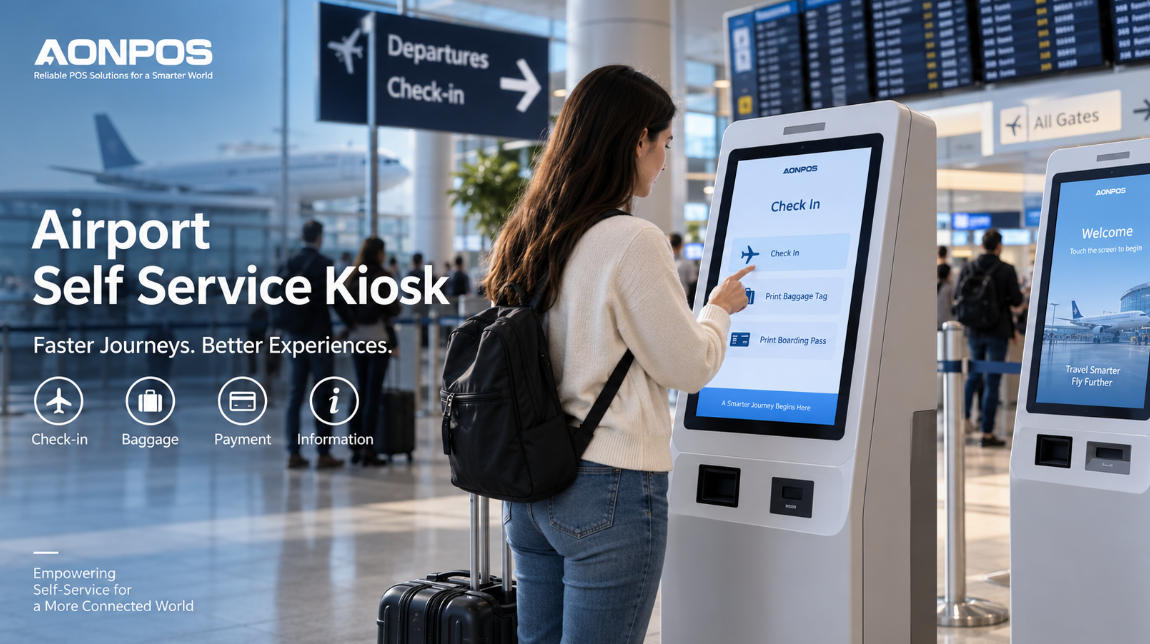
    In today’s fast-paced, digitally driven marketplace, businesses constantly seek ways to streamline operations, enhance customer experience, and reduce labor costs. One of the most effective self-service solutions to emerge in recent years is the Aonpos interactive kiosk. From fast-food restaurants to airports, these intelligent self-service terminals empower customers to transact, inquire, and navigate on their own terms—24 hours a day, 7 days a week. What Is a Self-Service Kiosk? Aonpos self-ordering kiosk (also known as a point-of-sale kiosk) is a standalone, touchscreen-driven terminal that enables customer self-service without direct staff assistance. By combining specialized hardware (touchscreen, card reader, printer, scanner) with dedicated Aonpos software, these smart kiosks deliver a fast, intuitive experience. Core Hardware Components of Aonpos Touchscreen Kiosks A typical Aonpos touchscreen kiosk integrates several key modules: Touchscreen Display Size ranges: 15″–32″ Technologies: Capacitive (multi-touch, premium feel, user-friendly interface) Resistive (stylus/glove-friendly) Payment Terminal EMV-certified chip reader and magnetic-stripe reader NFC/contactless for electronic payment (Apple Pay, Google Pay) Optional bill acceptor/dispenser for fully unattended cash transactions Printer Thermal receipt or ticket (58 mm or 80 mm roll) Optional label printer (direct-thermal or thermal-transfer) Scanner / Camera 1D/2D barcode or QR-code scanner—for coupons, tickets, loyalty cards Integrated camera for ID verification or image capture Embedded PC / Controller Industrial-grade motherboard or single-board computer (SBC) Runs Aonpos kiosk OS and application software, enabling seamless business automation Connectivity Modules Ethernet, Wi-Fi, or cellular (4G/5G) for backend integration, remote management, and real-time data collection Optional Cash Drawer RJ-11/12 or USB interface, triggered via standard ESC/POS commands Common Types & Use Cases for Aonpos Self-Service Kiosks Type Typical Deployment Retail Self-Checkout Grocery stores, convenience shops—scan items, pay, and print receipts Food & Beverage Ordering Fast-casual restaurants, cafeterias—browse menu, customize order, print kitchen tickets Ticketing & Check-in Movie theaters, airports, events—purchase or validate tickets, print boarding passes Information & Digital Signage Malls, hospitals, campuses—interactive directories, wayfinding, promotional displays Loyalty & Self-Registration Trade shows, retail—membership sign-up, surveys, visitor badges Benefits of Aonpos Self-Service Technology Reduced Labor CostsAutomates routine transactions so staff can focus on higher-value tasks. Improved Throughput & ConvenienceShorter wait times and 24/7 availability boost satisfaction and loyalty. Upselling & PersonalizationOn-screen prompts and add-on suggestions increase average order value. Actionable Data & AnalyticsReal-time insights into usage patterns, peak hours, and customer preferences. Scalability & ConsistencyUniform interface across locations ensures reliable customer experience enhancement. Integration with POS Ecosystem Aonpos self-service kiosks seamlessly integrate into your existing POS environment. Through our robust APIs or middleware, they can: Synchronize inventory levels instantly Route orders directly to kitchen display or back-office systems Apply dynamic pricing, discounts, and loyalty rewards Aggregate transaction data for unified reporting and performance analysis By incorporating Aonpos self-service solutions—from interactive kiosks to payment machines—you’ll modernize customer interactions, elevate convenience services, and drive operational excellence across all your locations.
  • How to Operate a POS System: Beginner’s Guide to Retail Payments and Point-of-Sale Systems
    How to Operate a POS System: Beginner’s Guide to Retail Payments and Point-of-Sale Systems Apr 22, 2025
    Learning to use a point-of-sale system is essential for anyone working in retail or hospitality. Whether you’re a cashier, salesperson, or store manager, this step-by-step guide from Aonpos will help you understand how to operate a POS system confidently and efficiently. What Is a POS System? A POS (Point of Sale) system is the combination of hardware and software used to complete retail payments in a store or business. It typically includes: A touchscreen monitor or computer Cash registers Receipt printer Barcode scanner Payment terminals for card and mobile transactions At Aonpos, we specialize in modern POS hardware and solutions that deliver instant convenience and performance for your daily operations. Step-by-Step Guide to Using a POS System 1. Turn On the POS System Start by powering on all point-of-sale system hardware: monitor, receipt printer, barcode scanner, and payment terminal. Make sure all devices are connected and functioning correctly. 2. Log In to the POS Software Use your staff credentials to log in—usually a username and password. Some systems may support fingerprint scanning or employee cards. 3. Prepare for the Day Load receipt paper into the cash register Test the barcode scanner and payment terminal Enter the opening cash amount to track daily sales 💡 Tip from Aonpos: Always run a quick check of your hardware before opening to avoid delays during peak hours. 4. Start a New Transaction Scan the product barcode or manually enter it The item and price will appear on the screen Adjust quantity if needed 5. Apply Discounts (If Needed) Tap the “Discount” option (name may vary) Enter a fixed amount or percentage The POS system will instantly update the total 6. Accept Payment Tap “Pay” or “Checkout” Choose a payment method: Cash, Card, Mobile Pay, or Gift Card For cash payments, enter the amount received; the system will calculate change The point-of-sale system ensures fast, accurate retail payments 7. Print and Provide the Receipt Once payment is completed: A receipt prints automatically Give the receipt and change (if any) to the customer 8. Close the Register at the End of the Shift Print a summary or Z-report Count and record the remaining cash Log out of the POS system Tips for First-Time POS Users Practice with test transactions before assisting real customers Always double-check items and prices before confirming the sale Learn how to void or refund transactions if needed Ask your supervisor or POS provider (like Aonpos) for product-specific training or documentation Final Thoughts on POS Systems Operating a POS system is a vital skill in today’s retail and service environments. With a bit of practice, you’ll confidently manage cash registers, process retail payments, and ensure smooth transactions with instant convenience. Looking for reliable hardware or a custom POS solution? Aonpos provides high-quality point-of-sale systems and accessories designed for efficiency and ease of use.
  • Intelligent POS hardware: the key to improving merchant operation management Aug 19, 2024
    With the development of technology, POS hardware is no longer limited to simple cash register functions, and more and more intelligent functions are being applied to POS devices. These intelligent POS hardware have brought new operation and management support to merchants, effectively improving operating efficiency. I. Core functions of intelligent POS hardware (1) Data analysis: Intelligent POS machines can collect key data such as sales data and customer information in real time and provide data analysis functions. Merchants can conduct in-depth analysis of sales trends, customer groups, etc. and formulate more accurate marketing strategies. (2) Inventory management: POS hardware can synchronize data with the commodity inventory system and automatically record commodity sales, helping merchants to grasp inventory status at any time and reduce inventory management costs. (3) Membership management: Intelligent POS machines integrate membership management functions, which can record customer consumption information, points, etc., and provide merchants with accurate customer portraits and membership operation support. (4) Store management: Some POS hardware has multi-store management functions, which can help chain merchants uniformly manage store business data, scheduling, etc., and improve store operation efficiency. As we all know, AONPOS's china POS machine has all the following functions: real-time data collection and analysis, intelligent inventory management, member information recording and analysis, and unified management of multiple stores. These functions provide merchants with strong operational support, helping them to gain a deep understanding of sales trends and customer needs, optimize inventory management, improve member services, and coordinate the operation of multiple stores, thereby significantly improving overall operating efficiency. 2. Application of smart POS hardware in different industries (1) Catering industry: Smart POS can monitor ordering, serving and other links in real time, optimize the dining process, and improve customer satisfaction. (2) Retail industry: POS data analysis function helps merchants understand hot-selling products and adjust procurement and display strategies. (3) Service industry: Smart POS can record the service process, provide merchants with service quality analysis, and optimize employee performance management. In general, whether it is the catering, retail or service industry, AONPOS's smart POS machine can provide merchants with refined operational support based on data-driven, helping them improve management efficiency and optimize business processes, thereby enhancing overall market competitiveness. 3. Choose the right smart POS hardware (1) Clarify business needs: Evaluate the required POS functions based on industry characteristics and company size. (2) Focus on compatibility: Choose POS hardware that seamlessly integrates with existing systems to reduce deployment costs. (3) Focus on security: Ensure that POS devices have reliable payment security and data protection measures. (4) Consider scalability: Choose POS hardware that can be continuously upgraded to meet future business development needs. For merchants, choosing the right smart POS hardware is critical. A comprehensive assessment based on factors such as their own business needs, system compatibility, security, and scalability is needed to find a truly suitable solution. In short, smart POS hardware is becoming an indispensable operational tool for merchants. By choosing AONPOS's all-in-one POS machine and applying it reasonably, merchants can not only improve their daily management efficiency, but also gain insight into market trends and formulate more accurate business strategies, thereby enhancing their competitiveness in the industry.
  • How to connect POS machine with online e-commerce system?
    How to connect POS machine with online e-commerce system? Aug 08, 2024
    As the trend of online and offline integration continues to deepen, the POS system, as the core system of offline scenarios, has become a key component of the digital transformation of enterprises. The integration of AONPOS's POS system and online e-commerce system is reflected in the following aspects: 1. Unified Order Management Pos machine termina can achieve bi-directional synchronization of order information with e-commerce systems: (1)Online orders can be automatically pushed to the POS system, making it convenient for offline stores to view and process. (2)Sales orders from offline stores can also be synchronized to the e-commerce system for centralized management. Real-time updates of order status help improve customer experience and order fulfillment efficiency. 2. Collaborative Inventory Management Wifi pos billing machine can achieve real-time sharing and scheduling of inventory information with e-commerce systems: (1)POS systems record the sales and inventory changes in offline stores in real-time. (2)E-commerce systems can allocate inventory based on the overall inventory situation across online and offline, avoiding stockouts and overstocking. Unified inventory management helps improve product sales efficiency. 3. Integrated Member Services Pos machine windows can connect with e-commerce systems for member management functions: (1)Member information can be synchronized between online and offline systems, improving the convenience of member services. (2)Member benefits like points and coupons can be used across online and offline scenarios, enhancing member loyalty. Based on omnichannel member data, businesses can develop more targeted marketing strategies. 4. Integrated Data Analytics After connecting POS and e-commerce systems, comprehensive data analysis and decision support can be achieved: (1)Sales, inventory, membership and other data can be analyzed in an integrated manner to gain insights into the overall business situation. (2)Based on big data analysis, businesses can make more accurate decisions, such as inventory allocation and marketing strategies. Analysis results can be fed back to the POS system to support daily store operations. In short, as long as the AONPOS' pos roll making machine is deeply integrated with the e-commerce system, it can help merchants achieve unified management and collaborative operations online and offline, and improve overall operational efficiency and customer experience. In the future, online and offline integration will become an important foundation for the digital transformation of enterprises.
  • How does the POS system help merchants improve their operating efficiency?
    How does the POS system help merchants improve their operating efficiency? Aug 08, 2024
    In today's highly competitive market, improving business efficiency has become a critical factor for merchants' sustainable operations. As an important tool for cashiering and settlement, POS systems are gradually becoming a key assistant for merchants to enhance their business efficiency. Let's explore how POS systems can contribute in this regard. 1. Improving Checkout Efficiency The traditional manual checkout process often takes considerable time due to tasks like change making and settlement, thereby impacting customer experience. In contrast, smart POS systems can significantly improve checkout speed and reduce the risk of human errors. In this regard, AONPOS's various POS products are well-deserved to be far ahead. Whether it is a mobile POS machine or a kiosk payment machine, it can be equipped with a suitable cash box, scanner and ticket machine, etc., and its payment methods are also diverse: (1)Automatic Change Calculation: After entering the product price and customer payment amount, the POS system can quickly calculate the change amount, eliminating the need for manual operations. (2)Support for Multiple Payment Methods: In addition to traditional card payments, POS systems can also support more convenient payment methods like mobile payments and QR code payments, further boosting checkout efficiency. (3)Intelligent Order Management: POS systems can record the product information of each transaction, providing a basis for subsequent inventory management and data analysis. Through the recommended AONPOS products and utilizing the intelligent functions of its POS system, merchants can greatly improve the efficiency of the checkout process, thereby bringing a better shopping experience to customers. 2. Optimizing In-store Management In addition to the checkout process, AONPOS's pos system machine can also play an important role in other aspects of store management: (1)Inventory Management: POS systems can track real-time product sales, helping merchants dynamically adjust their inventory to avoid stockouts or overstocking. (2)Sales Data Analysis: The transaction data collected by POS systems can provide merchants with comprehensive sales reports and trend analysis, supporting their business decision-making. (3)Customer Relationship Management: POS systems can integrate membership management and loyalty programs, enabling merchants to better understand and serve their target customer groups. Through the multi-functional empowerment of all in one pos machine, merchants can realize the intelligent management of their stores, thereby improving overall business efficiency. 3. Enabling Online-Offline Integration As the trend of online and offline integration continues to deepen, AONPOS's China POS machine is becoming an important hub connecting online and offline scenarios: (1)Support for Synchronized Order Management: POS systems can integrate with e-commerce platforms and store management systems, realizing the synchronization of orders across all channels. (2)Provision of Marketing Tools: POS systems can be connected with merchants' marketing systems, enabling precise marketing promotions in offline stores. (3)Facilitating Digital Transformation: As a digital entry point for offline scenarios, POS systems can help merchants better integrate online and offline resources, improving their business efficiency. In short, AONPOS's intelligent POS system is becoming an important tool for merchants to improve store operation efficiency. From cashiering, inventory to marketing, the multi-dimensional empowerment of the POS system is helping merchants optimize various management links and improve overall operating efficiency. In the future, with the continuous evolution of POS system functions, it will undoubtedly become an important support for merchants' digital transformation.
  • Key Factors in POS Hardware Selection.
    Key Factors in POS Hardware Selection. Aug 02, 2024
    Choosing the right point-of-sale POS hardware is a critical decision for any business, as it forms the backbone of your sales and customer experience. With a wide range of options available, each with its own set of features and capabilities, it can be challenging to identify the most suitable POS hardware for your specific needs. In this article, we'll explore the key factors you should consider when selecting POS hardware to ensure your business operates efficiently and stays ahead of the curve. 1. Basic knowledge of POS hardware The core components of the POS system are CPU, memory, storage, display and connectivity. Each hardware element will affect the performance, function and reliability of the POS system. Therefore, if you want to choose a high-configuration POS machine, the first recommendation is the products of AONPOS company. Not only does the POS machine have good performance, but also perfect after-sales service. It is the best choice for customers. 2.CPU selection criteria We need to compare CPUs in terms of processing power, energy efficiency, and operating system support, and choose a CPU that can meet our needs based on transaction volume, multi-tasking requirements, and future growth. The ideal AONPOS company's hot-selling touch screen POS machine. There are default I3 Quad-core 2.0 GHz-2.7 GHz, and J4125/J6412/I3/I5/I7/RK3566/RK3568Android to choose from. It can meet your various standard needs. 3. Memory and storage optimization We need to analyze the memory and storage requirements of POS applications, including Hard Driver storage requirements, and recommend that you adjust the memory and storage size appropriately to ensure smooth operation and data management. AONPOS's smart POS machine and other high-quality POS machines have the same characteristics, that is, in addition to the standard configuration of Hard Driver SSD 128G, there are also 64GB/256GB/512GB/1TB options. The memory supports DDRIII 1066/1333*1 4GB (default); 8GB optional. A variety of options can implement your storage optimization measures. 4. Connectivity and scalability Common POS hardware interfaces include wired (Ethernet, serial, USB) and wireless (WiFi, Bluetooth, NFC) connections. Choosing POS hardware with the necessary interfaces can support integration and is also important for future upgrades. At this time, we have to mention AONPOS's billing POS machine, which has a variety of wired interfaces to meet your daily needs, and can also add wireless connections according to customer needs to provide you with more convenient services. 5. Reliability and durability considerations Evaluate key reliability indicators of POS hardware, including operating temperature, environmental tolerance, and hardware health monitoring. We need to select POS hardware that can meet the needs of the business environment and adapt to changing business needs and technological advances. We need to pay attention to the latest developments in POS hardware technology, enhanced processing power, advanced user interfaces, and cutting-edge features. After comprehensive consideration, AONPOS's outdoor payment kiosk is simply your best choice. Whether it is the product appearance design or the internal hardware selection, it is the best product that has been certified. In summary, choosing the right POS hardware is a critical decision that can have a significant impact on your business efficiency, customer experience, and long-term growth. By considering the factors outlined in this article, you can ensure that your POS system can meet your current and future needs, allowing your business to succeed in the evolving retail environment. Take the time to carefully evaluate your options and choose the AONPOS that best supports your operational and strategic goals.
1 2 3 4 5 6

ما مجموعه 6الصفحات

تحتاج مساعدة؟ دردش معنا

ترك رسالة
لأي طلب معلومات أو دعم فني ، املأ النموذج. جميع الحقول التي تحمل علامة النجمة * مطلوبة.
يُقدِّم

بيت

منتجات

whatsApp

اتصال