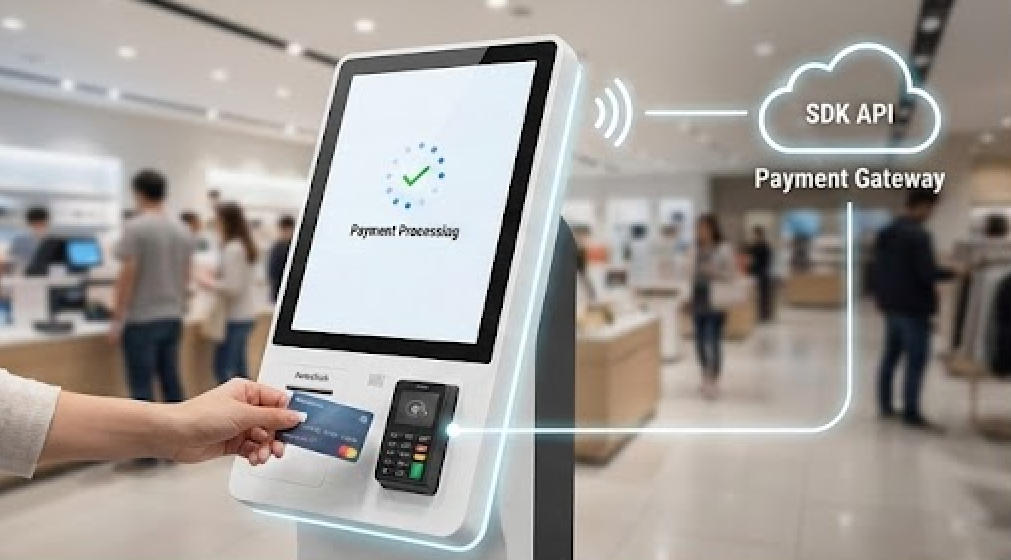
How to integrate a third-party payment SDK into a self-service kiosk?
Jan 03, 2026
As the demand for unattended retail grows, businesses are shifting toward self-service models to reduce overhead and improve customer experience. However, the bridge between a self-service kiosk and a secure payment gateway is often the most complex part of the build.
This guide provides a technical deep-dive into integrating third-party payment SDKs into kiosk environments, featuring insights on high-performance hardware like the AonpoTech APK06 Series.
Frequently Asked Questions: Kiosk Payment Integration
1. What is the best architecture for kiosk payment integration?
For self-service kiosks, the Semi-Integrated Architecture is the industry standard.
How it works: Your kiosk application sends a transaction request (amount, currency) to the payment terminal via an SDK or API. The terminal handles the sensitive card data and encryption, returning only a "Success" or "Failure" token to the kiosk.
Why it’s better: It keeps your primary kiosk software out of "PCI Scope," meaning you don’t have to undergo rigorous security audits for your entire app, only for the payment terminal itself.
2. How do I bridge a web-based kiosk app with local payment hardware?
Many modern kiosks, such as those built on AonpoTech’s Intel-based PK1851 terminals, run on web technologies (HTML/React). To communicate with a local USB or Serial card reader:
Use a Local Agent: Run a small background service (in C# or Node.js) on the kiosk OS that listens for WebSocket requests from your web app and translates them into hardware commands for the SDK.
Browser-to-Hardware: Utilize the WebUSB or WebSerial API if your payment provider supports direct browser communication.
3. Does my kiosk hardware affect the SDK integration?
Absolutely. The stability of your integration depends on the OS compatibility and peripheral support of the kiosk.
Android vs. Windows: AonpoTech kiosks support both RK3568 (Android) and Intel J4125/i5 (Windows) configurations. Ensure your chosen SDK provides a library for the specific OS you are deploying.
Modular Expansion: Kiosks like the AonpoTech APK06 feature modular designs, allowing you to easily swap or add NFC readers, thermal printers, and QR scanners, which must all sync with your SDK logic.
4. How do I handle "Unattended" payment compliance?
Integrating a mobile SDK (like a standard phone-based reader) is often a violation of terms for kiosk use. You must use a solution specifically certified for Unattended Use.
Ensure the hardware is PCI PTS (Pin Transaction Security) certified.
The SDK must support "Heartbeat" monitoring to alert your server if the payment module is disconnected or tampered with.
5. Can I integrate QR Code payments and Card payments in the same SDK?
Most modern SDKs (like Adyen or Stripe) support "Unified Commerce." However, if your kiosk uses a dedicated QR scanner (standard in AonpoTech models), you may need to handle the QR scan via a local hardware driver and then send the payload to your payment gateway’s API for authorization.
Step-by-Step Technical Integration Workflow
Hardware Selection: Start with an industrial-grade kiosk like the AonpoTech Smart Digital Kiosk. Its capacitive touchscreen and built-in 80mm thermal printer provide the necessary interface for payment receipts.
SDK Initialization: Load the provider’s library (e.g., .dll for Windows or .aar for Android) and initialize the connection to the payment terminal using the COM port or IP address.
The Handshake: Implement a "System Check" on startup to ensure the printer has paper and the payment terminal is online before allowing a user to start an order.
Transaction Loop: * Kiosk app calculates the total.
App calls the SDK startTransaction(amount) method.
SDK takes over the screen or terminal UI for PIN entry/Tap.
App receives a JSON response with the transaction ID.
Receipt Generation: Use the kiosk’s integrated thermal printer to print the transaction record, ensuring you include the mandatory fields required by the payment provider (AID, TVR, etc.).
Why Choose AonpoTech for Your Payment Kiosk Project?
Integrating software is only half the battle; the hardware must be resilient. AonpoTech’s self-service kiosks are designed with developers in mind:
High Performance: With options up to Intel i7 and 16GB RAM, your kiosk app and payment SDK will run without lag.
Modular Flexibility: The APK06 series responds to modern business needs by allowing different modules for different solutions (NFC, Scanning, Printing).
Industrial Durability: Waterproof and modern designs ensure that your payment terminal remains functional in high-traffic environments.