Capacitive vs. Resistive POS Touchscreens: Which is Best for Your Business?
Jan 12, 2026
If you’ve ever been stuck behind a checkout counter during a holiday rush, you know that the last thing you want to fight with is your screen. You tap, nothing happens. You tap harder, and suddenly the system registers three clicks at once. Usually, that frustration comes down to one technical detail: the type of touchscreen your POS uses.
When you're looking through the AonPOS product catalog, you’ll see two terms pop up constantly—Capacitive and Resistive. They might look the same when the power is off, but in the middle of a busy shift, they perform very differently.
The Modern Favorite: Capacitive Screens
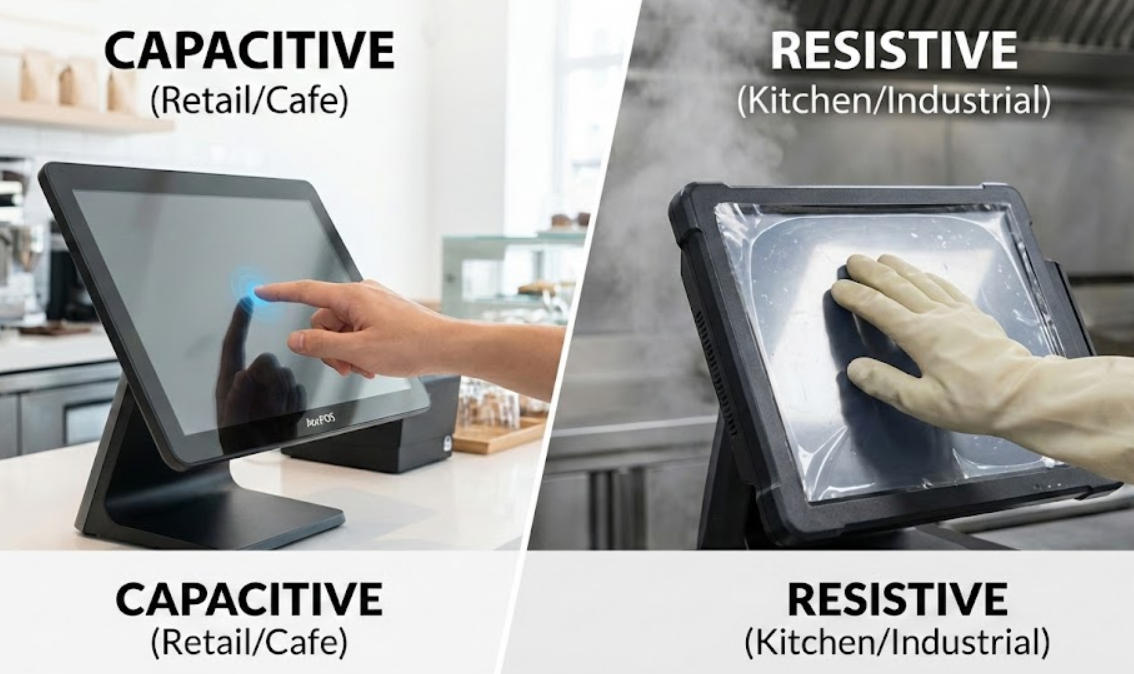
Think about your smartphone. That smooth, effortless glide is thanks to capacitive technology. These screens don't care how hard you press; they react to the tiny electrical charge in your skin.
For a modern retail boutique or a high-end cafe, a capacitive model like the AonPOS AP15 is usually the gold standard. Why? Because it’s built with a solid glass front. It feels premium, it’s incredibly responsive, and it supports "multi-touch" gestures. If your staff needs to pinch-to-zoom on a complex floor plan or flick through a long inventory list, capacitive is the way to go.
The Durability Factor: Since the top layer is hardened glass (often rated 7H), it’s tough to scratch. You can wipe it down with glass cleaner a hundred times a day, and it’ll still look brand new.
The Old-School Workhorse: Resistive Screens
Now, let’s talk about the "press-firmly" screens. Resistive technology relies on physical pressure. There are actually two flexible layers with a tiny gap between them; when you push, they touch, and the computer registers the coordinate.
You’ll find this tech in models like the AonPOS APM06. It might feel a bit "dated" compared to an iPhone, but it has a massive hidden advantage: it is input-agnostic.
If you’re running a commercial kitchen, your chefs likely have wet hands, flour on their fingers, or are wearing thick latex gloves. A capacitive screen will often ignore a gloved finger, but a resistive screen doesn't care. It’ll respond to a stylus, a gloved hand, or even the edge of a credit card.
The Real-World Breakdown
Feature
Capacitive (The "Glass" Screen)
Resistive (The "Pressure" Screen)
Touch Style
Light, effortless touch
Needs a deliberate press
Glove Friendly?
No (unless special conductive gloves)
Yes, works with any glove
Clarity
Crystal clear and bright
Slightly duller due to the extra layers
Cleaning
Easy to sanitize; liquid-proof
Sensitive to sharp objects and chemicals
Which one should you actually buy?
It really comes down to your "work uniform."
If your employees are working with bare hands in a clean environment—like a clothing store, a pharmacy, or a bar—go with a Capacitive AonPOS system. It’s faster, the screen lasts longer because it’s made of glass, and it gives your business a more modern "tech-forward" feel.
However, if your POS is going to live in a greasy kitchen, a dusty warehouse, or a place where staff must wear gloves, Resistive is the practical choice. It’s a tool built for utility over aesthetics. It might need to be replaced a bit sooner than a glass screen if it gets heavily scratched, but it will work every single time someone presses it with a gloved thumb.
Quick FAQ
Q: Can I use a regular pen on my AonPOS capacitive screen?
A: No. Capacitive screens require something conductive (like your finger). If you want to use a pen, you’ll need a resistive screen or a specialized capacitive stylus.
Q: Is one screen type more waterproof than the other?
A: Generally, capacitive screens (like the AonPOS AP15) are easier to seal completely because the front is a single sheet of glass. This makes them highly resistant to spills and easy to spray down and wipe.