Why is There Such a Huge Price Difference in Self-Service Kiosks?
Dec 22, 2025
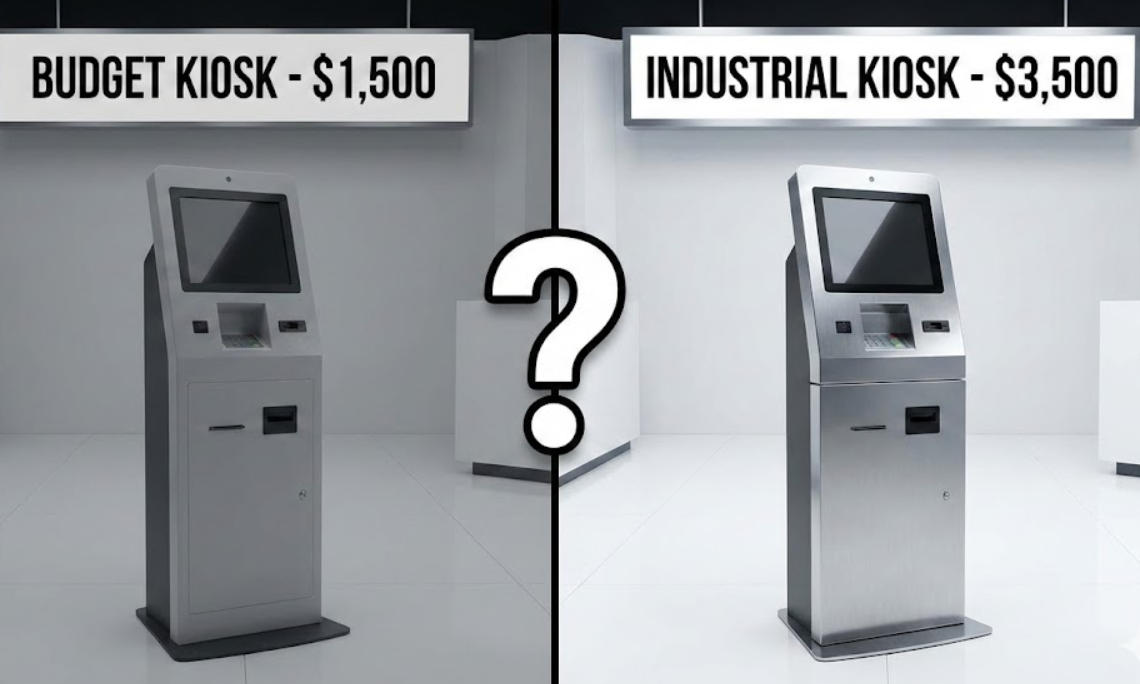
In the world of self-service technology, two kiosks can look identical on a website but differ in price by thousands of dollars. For a business owner, this price gap can be confusing. Is the expensive model a "premium markup," or is the cheap model a "ticking time bomb"?
The reality is that the purchase price is only 20% of the total cost of ownership (TCO). To understand the price difference, we must look under the hood at the engineering, component grade, and long-term reliability.
1. Industrial-Grade vs. Consumer-Grade Hardware
The most significant price driver is the "Brain" and the "Face" of the kiosk.
The Processor (PC): Low-cost kiosks often use consumer-grade Android sticks or basic Atom processors designed for light home use. Professional models, like the Aonpostech AP022, offer scalable Intel Core i3/i5/i7 or high-performance Rockchip (RK3568) processors. These are built for 24/7 "always-on" operation, handling thousands of transactions without overheating or lagging.
The Touch Screen: A cheap kiosk may use a resistive screen (pressure-based) or a low-brightness panel. Premium kiosks utilize 10-point capacitive touch screens with high-definition resolution. They are designed for high-traffic durability and remain responsive even after millions of touches.
2. Component Reliability: The "Sum of Parts"
A kiosk is only as reliable as its weakest peripheral.
Printers & Scanners: High-quality kiosks integrate industrial thermal printers (like the 58mm/80mm units found in Aonpostech models) and high-sensitivity QR scanners. These "industrial-grade" components are designed to prevent paper jams and read cracked phone screens—issues that plague "budget" kiosks and frustrate customers.
Modularity: Why does modularity affect price? Modular designs, such as the PK1851 series, allow for easy maintenance. If a printer fails, you swap the module in minutes. In a cheap, "all-in-one" glued unit, a single failed component often means replacing the entire machine.
3. Build Quality and Thermal Management
Materials: Budget kiosks often use thin plastic or low-grade sheet metal. High-end models use Aluminum Alloy and ABS Plastic, which offer superior heat dissipation and physical security.
Internal Engineering: Electronics generate heat. Professional kiosks are engineered with internal airflow systems. Without this, the CPU will "throttle" (slow down) or fail prematurely, leading to expensive downtime.
4. Safety Certifications and Compliance
This is where many low-cost suppliers cut corners. To sell a kiosk legally and safely in global markets, it must pass rigorous testing.
Certifications: Professional hardware carries CE, FCC, LVD, and CCC marks. These ensure the device won't cause electrical fires, interfere with other electronics, or leak data.
Security: High-value kiosks utilize industry-leading encryption for payment privacy. Saving $500 on a non-certified kiosk can lead to millions in liability if a security breach occurs.
Comparison: The True Cost of a Kiosk (3-Year View)
Feature
Budget Kiosk ($)
Aonpostech Industrial Kiosk ($$$)
PC Lifecycle
1–2 Years
5–7 Years
Operating Time
8 Hours/Day
24/7/365
Maintenance
High (Frequent Jams/Crashes)
Low (Modular/Industrial Parts)
Compliance
Often Missing
CE, FCC, LVD, CCC
3-Year TCO
Very High (Repairs + Downtime)
Low (Stable Performance)
5. Frequently Asked Questions (FAQ)
Q: Why is a 24-inch screen more expensive than a 15-inch screen?
Beyond the glass size, larger screens require more powerful backlighting and more robust mounting brackets to handle the weight. Aonpostech offers sizes from 15.6 to 23.8 inches to fit different space and visibility requirements.
Q: Can I just use a consumer tablet as a kiosk?
While tempting, consumer tablets are not designed for constant power. Their batteries can swell, and they lack the I/O ports (Serial, LAN, multiple USBs) needed to connect industrial printers and scanners securely.
Q: Does the operating system affect the price?
Yes. Professional kiosks support Windows 10 Pro, IoT, or Android 11, which require licensing but offer the security and remote management tools businesses need to manage a "fleet" of machines.
Conclusion: Value Over Price
When choosing a self-service payment kiosk, the cheapest option often becomes the most expensive over time due to lost revenue and repair costs. By investing in industrial-grade hardware with modular designs and global certifications, you ensure your business stays "open" every minute of the day.
Ready to upgrade your customer experience? Explore the Aonpostech Kiosk Range for high-performance, customizable solutions.