Aonpos الكل في مكان واحد
  • Indoor vs Outdoor Payment Kiosk Machines: Which One Does Your Business Need?
    Indoor vs Outdoor Payment Kiosk Machines: Which One Does Your Business Need? Apr 05, 2026
    As you know, the rapid evolution of self-service technologies has led to the widespread deployment of payment kiosks across a broad range of industries, including retail, hospitality, transportation and public services. Within this context, companies such as Aonpos have been continuously designing and delivering payment kiosk solutions adapted to diverse operational environments and customer expectations. To address this, it is essential to understand that indoor and outdoor kiosks are not simply variants of the same product. They are designed to meet very different operational, environmental and regulatory requirements, which directly impact their performance, durability and total cost of ownership. Where are we today? The current generation of payment kiosks covers a wide spectrum of use cases, ranging from in-store self-checkout and ordering stations to fully unattended outdoor payment terminals for parking, ticketing, or drive-through services. At Aonpos, our range of payment kiosk solutions has progressively expanded to address both indoor and outdoor deployment scenarios, ensuring compatibility with the specific constraints of each application environment. Indoor kiosks are now commonly deployed in controlled environments such as shopping centres, restaurants, hotels and airports, where temperature, humidity and security conditions are relatively stable. Outdoor kiosks, on the other hand, are designed for installation in open or semi-exposed environments, including streets, transport hubs, petrol stations and public infrastructure, where they must operate reliably under variable and sometimes extreme conditions. As a result, the decision between indoor and outdoor kiosks has become a strategic one, driven not only by application scenarios but also by long-term operational considerations. Understanding the key differences Environmental constraints and durability The primary distinction between indoor and outdoor payment kiosks lies in their ability to withstand environmental conditions. Indoor kiosks are designed for controlled settings. Their enclosures, ventilation systems and components are optimised for standard operating conditions, which allows for lighter structures, simplified cooling mechanisms and reduced manufacturing costs. Outdoor kiosks, by contrast, must comply with strict requirements in terms of resistance to weather conditions such as rain, dust, humidity and temperature variations. At Aonpos, this translates into reinforced enclosures, higher protection ratings, anti-corrosion treatments and integrated thermal management systems to ensure continuous operation in demanding environments. As a result, outdoor kiosks are inherently more complex in their design and industrialisation, which has a direct impact on both initial investment and maintenance strategies. Security and compliance requirements Security considerations also differ significantly between indoor and outdoor deployments. Indoor kiosks benefit from the presence of staff and controlled access environments, which reduces exposure to vandalism and fraud. While they still comply with payment security standards, their physical protection requirements remain moderate. Outdoor kiosks, on the other hand, must operate in fully unattended environments. This requires enhanced physical security features such as reinforced structures, tamper-resistant locks, secure mounting systems and vandal-proof components. At Aonpos, particular attention is paid to combining physical security with compliance to international payment standards, ensuring both data protection and equipment integrity in all deployment scenarios. Installation and deployment flexibility From a deployment perspective, indoor kiosks offer greater flexibility and ease of installation. Their lighter weight and simplified infrastructure requirements allow for rapid deployment within existing spaces, often without the need for significant site preparation. Outdoor kiosks require a more comprehensive approach. Site preparation may include civil works, dedicated electrical installations, weatherproof connectivity and anchoring systems. Thanks to a modular design approach, Aonpos payment kiosks are engineered to simplify both indoor and outdoor installations, reducing deployment time while maintaining high levels of reliability and safety. However, once installed, outdoor kiosks enable businesses to extend their services beyond physical premises, offering 24/7 availability and increased customer reach. Maintenance and operational continuity Maintenance strategies also differ between the two types of kiosks. Indoor kiosks benefit from easier access and controlled conditions, which simplifies routine maintenance and reduces intervention costs. Outdoor kiosks, due to their exposure, require more robust maintenance planning. Remote monitoring, predictive diagnostics and modular component design become essential to minimise downtime. In this respect, Aonpos integrates remote management capabilities into its kiosk solutions, allowing operators to monitor system status, control peripherals and perform diagnostics without requiring systematic on-site intervention. Choosing the right solution for your business The choice between indoor and outdoor payment kiosks ultimately depends on the specific needs and constraints of each business. Indoor kiosks are particularly well suited for: High-traffic indoor environments with controlled conditions Retail and hospitality applications requiring fast deployment Cost-sensitive projects with simplified maintenance needs Outdoor kiosks are more appropriate for: Unattended or public environments requiring 24/7 availability Services extending beyond traditional premises Operations requiring high durability and environmental resistance With its diversified product portfolio, Aonpos supports businesses in selecting and deploying the most appropriate kiosk configurations according to their operational and geographical requirements. Conclusion: aligning technology with operational objectives By carefully evaluating environmental constraints, security requirements, deployment conditions and maintenance strategies, businesses can select the type of payment kiosk that best aligns with their operational objectives. Indoor and outdoor kiosks each offer distinct advantages, but their effectiveness ultimately depends on how well they are integrated into the overall service ecosystem. Through a structured approach to design, deployment and lifecycle management, and with the support of experienced solution providers such as Aonpos, it is possible to optimise both performance and costs, while delivering reliable and scalable self-service solutions tailored to each specific use case.
  • What Features Should a POS System Have in 2026?
    What Features Should a POS System Have in 2026? May 11, 2026
    As businesses adapt to the fast-paced retail environment, having the right POS features is essential for efficiency, customer satisfaction, and growth. In 2026, a modern Point of Sale (POS) system is more than a tool for processing transactions—it’s a strategic platform that connects sales, inventory, analytics, and customer management. Here’s a guide to the best POS features that every business should consider. Cloud-Based Accessibility: The Future of POS Systems A cloud-based POS system allows businesses to access sales data, inventory updates, and reports from anywhere. This POS feature ensures that multi-location stores or mobile operations stay connected in real time. Cloud access improves flexibility and allows managers to make informed decisions, whether they’re on-site or on the go. Advanced Inventory Management for Smarter Operations Inventory management is a critical POS feature for preventing overstocking and stockouts. The best POS features include automatic stock tracking, predictive restocking using AI, and low-stock alerts. With these tools, businesses can optimize inventory, reduce waste, and save money while keeping shelves stocked efficiently. Integrated Payment Processing for Faster Transactions A top POS system should support multiple payment methods, including credit/debit cards, digital wallets, and contactless payments. Integrated payment processing ensures quick, secure transactions and enhances the customer experience. Modern POS features also include PCI-compliant security, giving customers peace of mind. CRM Tools to Boost Customer Loyalty The best POS features go beyond transactions—they help businesses build relationships. Integrated Customer Relationship Management (CRM) tools track purchase history, manage loyalty programs, and allow personalized promotions. By leveraging these insights, companies can create targeted marketing campaigns that increase customer retention. Analytics and Reporting: Making Data-Driven Decisions Data is a powerful tool in modern retail. POS analytics provide insights into sales trends, employee performance, and inventory movement. The best POS features include customizable reporting dashboards that help business owners make informed decisions, identify opportunities, and improve operational efficiency. Omnichannel Integration: Seamless Online and Offline Sales In 2026, customers expect a unified shopping experience. POS systems with omnichannel integration connect physical stores, e-commerce platforms, and delivery apps. Businesses can manage orders, inventory, and customer data from a single system, ensuring consistent service across all channels. Security Features to Protect Your Business With cyber threats on the rise, security is a must-have POS feature. Look for end-to-end encryption, secure user authentication, and compliance with industry standards like PCI DSS. A secure POS system protects sensitive customer information and safeguards your business from data breaches. User-Friendly Interfaces for Staff Efficiency A POS system should simplify operations, not complicate them. Modern POS features include intuitive touchscreen interfaces, easy navigation, and minimal training requirements. By reducing friction at checkout, staff can serve customers faster and more efficiently. Scalability and Customization: Grow Without Limits As businesses expand, their POS systems need to grow with them. The best POS features include modular add-ons, multi-store management, and customizable reporting. Scalable systems allow businesses to adapt without replacing their POS infrastructure. Reliability and Support: Choosing a Trusted Provider Reliability is crucial in any POS system. Look for vendors that offer robust customer support, regular software updates, and proven uptime. Companies like Aonpos provide POS solutions combining advanced features, scalability, and dependable support, ensuring businesses are prepared for both current and future needs. Conclusion The best POS features in 2026 go far beyond simple transaction processing. From cloud-based access and advanced inventory management to CRM, analytics, omnichannel integration, and security, modern POS systems are essential for competitive, efficient businesses. Choosing a reliable provider like Aonpos ensures you get a system that is scalable, secure, and fully equipped to meet the demands of the modern retail landscape. By focusing on these essential POS features, businesses can enhance operations, improve customer experience, and drive growth in an increasingly digital marketplace.
  • What Makes a High-Performance POS Hardware System?
    What Makes a High-Performance POS Hardware System? May 15, 2026
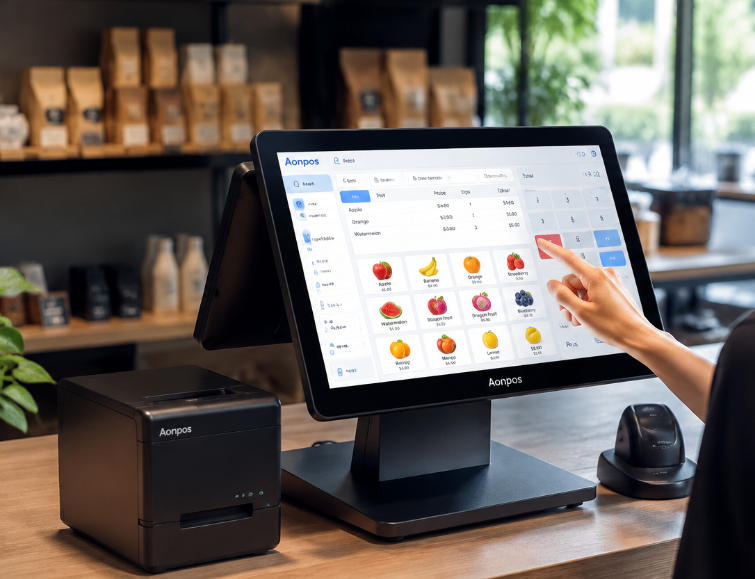
    In the fast-paced world of retail and hospitality, a reliable commercial POS hardware system is no longer a luxury—it’s a necessity. Businesses increasingly rely on Point of Sale (POS) systems not just to process transactions but also to streamline operations, manage inventory, and enhance the overall customer experience. But what truly defines POS performance, and how can businesses ensure they choose a system capable of meeting today’s demanding operational requirements? 1. Robust Hardware Architecture A high-performance POS system begins with its hardware architecture. Key components include: Processor and Memory: Just like computers, POS terminals rely on fast processors and sufficient RAM to handle multiple tasks simultaneously, from scanning items to processing payments. Storage: Solid-state drives (SSDs) are preferred for POS systems because they provide quick data access, reducing lag and improving overall speed. Durability: Commercial environments can be harsh. POS hardware needs to withstand heavy use, spills, and accidental drops. Brands like Aonpos design terminals with robust enclosures and reinforced touchscreens, ensuring longevity and reliability. 2. Speed and Reliability POS performance isn’t just about processing speed—it’s also about consistency. Slow or unreliable systems can lead to long checkout lines, frustrated customers, and lost revenue. Factors that contribute to high performance include: Optimized Software Integration: Hardware must seamlessly work with POS software to handle sales, inventory, and reporting efficiently. Network Connectivity: Reliable Ethernet or Wi-Fi connections minimize transaction delays, especially in busy environments. Peripheral Support: High-performance systems support fast communication with printers, scanners, and cash drawers without bottlenecks. 3. User-Friendly Interface A fast system is only as good as the way it’s used. Commercial POS hardware should feature: Responsive Touchscreens: Smooth and accurate touch interaction reduces transaction time and training requirements. Customizable Layouts: Staff should be able to access frequently used functions quickly, enhancing operational efficiency. Ergonomic Design: Comfortable placement of screens, keyboards, and peripherals reduces fatigue during peak hours. 4. Scalability and Flexibility Businesses grow, and so should their POS systems. High-performance POS hardware must support expansion, including: Additional terminals or mobile devices Integration with inventory, accounting, and CRM systems Advanced payment options, such as contactless and mobile wallets Leading brands like AonPOS offer modular solutions, allowing businesses to scale without replacing the entire system. This flexibility ensures that companies can maintain high POS performance as they expand. 5. Security and Compliance High-performing POS systems must also prioritize security. Modern hardware should support encrypted transactions, secure card readers, and compliance with PCI standards. Ensuring robust security not only protects customer data but also maintains trust and brand reputation. Conclusion Investing in high-quality commercial POS hardware is a strategic decision that impacts every aspect of a business’s operations. Speed, reliability, durability, and scalability are the hallmarks of a high-performance system. With solutions from reputable brands like Aonpos, businesses can achieve efficient transactions, better customer experiences, and long-term operational success. By focusing on these critical factors, companies can ensure that their POS systems deliver exceptional POS performance, providing a foundation for growth and a competitive edge in today’s fast-moving retail and hospitality landscapes.
  • What Is the Best POS System for Restaurants? A Comprehensive Guide
    What Is the Best POS System for Restaurants? A Comprehensive Guide May 18, 2026
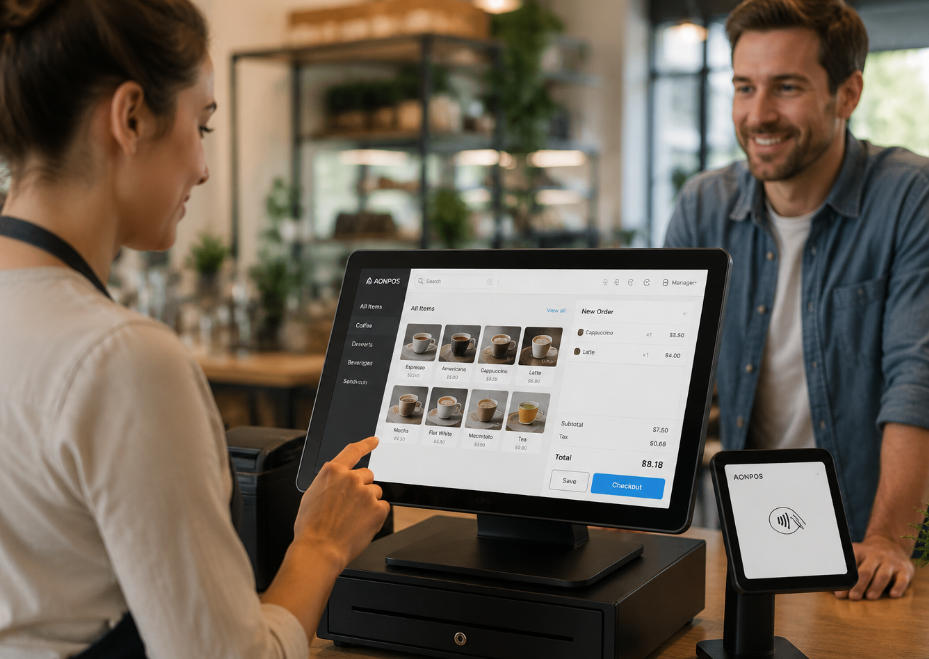
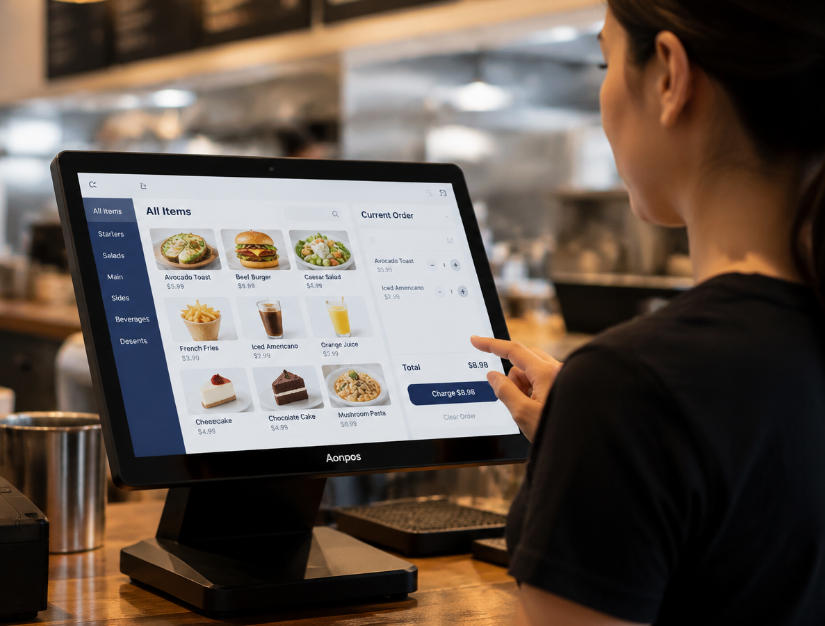
    In the modern restaurant industry, efficiency and customer satisfaction are more critical than ever. A reliable restaurant POS system isn’t just a cash register—it’s the nerve center of operations, helping restaurant owners streamline workflows, manage inventory, track sales, and enhance customer experiences. Choosing the best POS for restaurant operations can be challenging given the variety of systems on the market. This guide provides a thorough comparison of top POS systems, their key features, and what to look for when making your decision. Why Every Restaurant Needs a POS System Running a restaurant involves juggling multiple moving parts: table management, order processing, staff coordination, inventory tracking, and customer engagement. Without a robust restaurant POS system, these processes can become chaotic, leading to mistakes, inefficiencies, and unhappy customers. Modern POS systems go beyond simple transaction processing. They allow restaurant owners to: Automate order management: Send orders directly to the kitchen, reducing human errors. Track inventory: Monitor stock levels in real-time, minimize waste, and optimize supply orders. Analyze sales data: Identify top-selling menu items, track peak hours, and generate detailed reports. Enhance customer experience: Integrate loyalty programs, handle online orders, and manage reservations. Investing in the right system not only improves operational efficiency but also contributes directly to revenue growth. Key Features to Look for in the Best POS for Restaurant When evaluating potential systems, certain features are essential for maximizing the value of a restaurant POS system: Ease of UseHigh staff turnover is common in the restaurant industry. A POS system with an intuitive interface ensures new staff can get up to speed quickly, reducing training time and mistakes. Order Management CapabilitiesYour POS should allow servers to take orders efficiently and send them directly to the kitchen or bar. Features like customizable modifiers, split checks, and table mapping are critical for smooth service. Inventory TrackingAdvanced POS systems track ingredients and supplies in real-time. Some even alert managers when stock is low or when a menu item is selling faster than expected. Analytics and ReportingThe best POS for restaurant use provides actionable insights through sales reports, labor analysis, and performance tracking. This helps owners make informed decisions about staffing, menu pricing, and promotions. Integration with Third-Party ToolsModern restaurants often rely on multiple platforms for payments, online ordering, accounting, and marketing. A POS system that integrates seamlessly with these tools minimizes manual work and errors. ScalabilityWhether you run a small café or a multi-location chain, your POS should scale with your business. Look for systems that can handle growth without requiring a complete replacement. Reliable Customer SupportDowntime can be costly in a restaurant setting. Choose a provider with responsive support to ensure any issues are resolved quickly. Top Restaurant POS Systems in 2026 Here’s a detailed look at some of the leading restaurant POS systems, highlighting their strengths and unique features. 1. Aonpos Overview: Aonpos is a flexible and feature-rich POS solution designed specifically for restaurants of all sizes. Its user-friendly interface and powerful tools make it a strong contender for the best POS for restaurant operations. Key Features: Real-time inventory tracking and management Detailed sales and performance analytics Integrated online ordering and payment processing Support for loyalty programs and promotions Scalable for single or multi-location restaurants Why It Stands Out: Aonpos combines operational efficiency with adaptability, making it suitable for both small cafes and larger establishments. Its emphasis on inventory control and analytics helps restaurant owners make informed decisions that improve profitability. 2. Toast POS Overview: Toast is one of the most widely used POS systems in the restaurant industry, known for its robust cloud-based platform and extensive feature set. Key Features: Touchscreen interface optimized for speed Online ordering and delivery integration Comprehensive reporting and analytics Loyalty and gift card management Employee scheduling and labor management Pros: Strong ecosystem for restaurants of all sizes Regular software updates Cloud-based, allowing remote management Cons: Can be expensive for smaller operations Hardware is proprietary, limiting flexibility 3. Square for Restaurants Overview: Square is renowned for its simplicity and affordability, making it a popular choice for small to medium-sized restaurants. Key Features: Easy setup and intuitive interface Integrated payment processing Menu management and customizable modifiers Analytics and reporting tools Online ordering and delivery integrations Pros: Affordable, with transparent pricing Works on existing tablets, reducing hardware costs Excellent for startups and small cafes Cons: Limited advanced features for large operations Some users report slower customer support 4. Lightspeed Restaurant Overview: Lightspeed offers a robust cloud-based POS system with strong reporting capabilities, ideal for restaurants and bars that need detailed operational insights. Key Features: Advanced inventory management Employee management and scheduling Customizable reporting dashboards Integration with third-party apps for accounting, delivery, and reservations Multi-location management Pros: Scalable and flexible Strong analytics and inventory control Cons: Higher learning curve for staff Premium pricing for advanced features 5. Upserve POS Overview: Upserve, previously known as Breadcrumb POS, is tailored for full-service restaurants with a focus on analytics and guest experience. Key Features: Menu intelligence to identify top-performing dishes Integrated loyalty programs Table-side ordering and payments Employee performance tracking Pros: Strong focus on guest analytics Supports both small and large restaurants Cons: Subscription can be expensive Hardware options are limited compared to other providers Comparing POS Systems: What Matters Most When selecting the best POS for restaurant, consider the following comparison points: Feature Aonpos Toast Square Lightspeed Upserve Ease of Use ⭐⭐⭐⭐ ⭐⭐⭐ ⭐⭐⭐⭐ ⭐⭐⭐ ⭐⭐⭐ Inventory Management ⭐⭐⭐⭐ ⭐⭐⭐ ⭐⭐ ⭐⭐⭐⭐ ⭐⭐⭐ Analytics & Reporting ⭐⭐⭐⭐ ⭐⭐⭐⭐ ⭐⭐ ⭐⭐⭐⭐ ⭐⭐⭐⭐ Scalability ⭐⭐⭐⭐ ⭐⭐⭐⭐ ⭐⭐ ⭐⭐⭐⭐ ⭐⭐⭐ Online Ordering Integration ⭐⭐⭐⭐ ⭐⭐⭐⭐ ⭐⭐⭐ ⭐⭐⭐ ⭐⭐⭐ Customer Support ⭐⭐⭐⭐ ⭐⭐⭐ ⭐⭐⭐ ⭐⭐⭐ ⭐⭐⭐ From this comparison, it’s clear that Aonpos and Lightspeed provide strong overall functionality, particularly in inventory management and analytics. Square is ideal for small restaurants or cafes seeking simplicity, while Toast excels in large operations with complex workflows. How to Choose the Right POS for Your Restaurant Selecting the right POS system is not just about features—it’s about how well the system aligns with your restaurant’s specific needs. Here’s a step-by-step approach: Assess Your Restaurant’s Size and TypeFull-service restaurants, quick-service establishments, and cafes have different needs. Consider order volume, menu complexity, and service style. Identify Essential FeaturesList the features critical to your operation: online ordering, table mapping, inventory tracking, employee management, and reporting. Consider Integration NeedsCheck whether the POS integrates with your accounting software, online ordering platforms, and loyalty programs. Test the SystemMost providers offer demos or free trials. Use them to evaluate usability, speed, and reliability. Calculate Total Cost of OwnershipConsider subscription fees, hardware costs, installation fees, and maintenance charges. Don’t choose based on upfront cost alone. Review Support and ReliabilityEnsure the vendor offers responsive support and minimal downtime, as system failures can directly impact revenue and customer satisfaction. Conclusion Finding the best POS for restaurant operations is a strategic decision that affects every aspect of your business—from inventory management to customer satisfaction. Modern restaurant POS systems like Aonpos, Toast, Square, Lightspeed, and Upserve offer a variety of tools to streamline operations, reduce errors, and provide valuable insights. Among them, Aonpos stands out for its combination of user-friendly design, robust inventory management, and scalable features suitable for restaurants of all sizes. Investing time in evaluating your needs, testing options, and choosing the right system can result in smoother operations, happier staff, and improved customer experiences. Ultimately, the right POS system isn’t just a tool—it’s a partner in growing a successful restaurant.
  • POS for Duty Free Shops: Building a Faster and More Reliable Travel Retail Checkout
    POS for Duty Free Shops: Building a Faster and More Reliable Travel Retail Checkout Sep 07, 2026
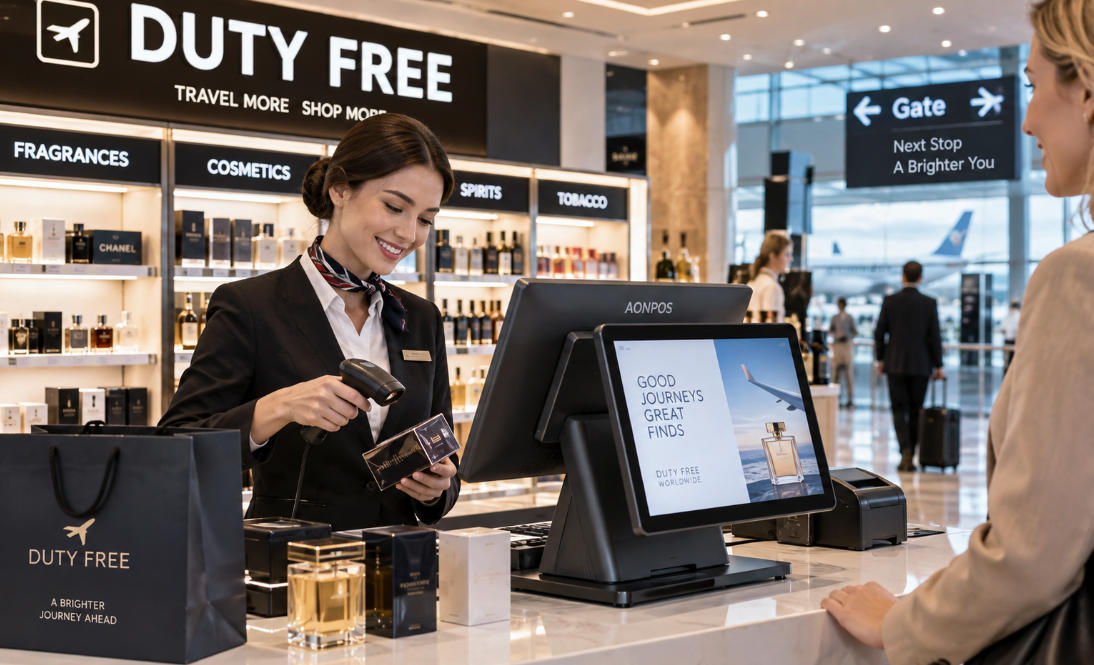
    Duty-free retail operates under very different conditions from an ordinary high-street store. A checkout counter inside an international airport, border terminal, ferry port, or cruise facility may serve customers from dozens of countries within a single day. Transactions often involve premium products, multiple currencies, passenger or travel information, destination-specific purchasing rules, and customers who are working against boarding times. For this reason, choosing a POS for duty free shops is not simply a matter of installing a touchscreen and payment terminal. The hardware must fit into a wider travel-retail environment where speed, reliability, peripheral compatibility, customer visibility, and system integration all affect daily operations. For duty-free operators, software companies, distributors, and system integrators, the most effective approach is to select POS hardware around the complete checkout workflow rather than treating the terminal as an isolated device. Why Duty-Free Checkout Places Greater Demands on POS Hardware Traffic in duty-free stores can change dramatically throughout the day. A store may be relatively quiet between flights and then experience a sudden surge when several international departures are scheduled within the same period. Unlike shoppers in a conventional retail center, airport customers often have a fixed deadline. A slow checkout does not simply cause inconvenience; it can lead customers to abandon purchases because they need to reach their gate. The checkout station therefore needs to handle repeated scanning, product lookup, payment processing, receipt printing, customer information display, and communication with other systems without creating unnecessary delays. At the same time, duty-free stores commonly sell cosmetics, fragrances, alcohol, tobacco, confectionery, electronics, travel accessories, and luxury merchandise. This creates large SKU databases and different transaction requirements across product categories. A reliable duty-free POS environment must combine fast interaction with sufficient flexibility to support the retailer's selected software and peripheral ecosystem. 1. Fast Processing Matters When Passenger Traffic Arrives in Waves Checkout performance is especially important in travel retail because transaction demand is rarely evenly distributed. A group arriving from a tour bus, a long-haul flight approaching boarding time, or a promotional event can quickly create a queue. Even small delays repeated across dozens of customers can reduce the number of transactions completed during a peak period. POS hardware should therefore provide enough processor performance, memory, and storage for the intended retail application. The correct specification depends on the software workload. A straightforward checkout application may operate comfortably on an entry-level commercial processor, while larger product databases, multiple background applications, customer-facing media, or complex integrations may justify more powerful configurations. Solid-state storage is also useful for commercial POS installations because it supports quick startup and eliminates the moving components found in mechanical hard drives. AONPOS offers POS system hardware with multiple configuration options, allowing buyers and solution providers to select specifications according to their software platform, deployment scale, and target market. The objective should not be to purchase the highest possible specification. It should be to choose a stable configuration with enough performance headroom for the expected workload and future software requirements. 2. Dual-Screen POS Can Improve Transparency at the Counter Customer-facing displays are particularly valuable in duty-free environments. International passengers may be purchasing several products while dealing with unfamiliar currencies, promotions, discounts, or bundle offers. Showing transaction information on a second screen allows customers to follow the checkout process as items are added. Depending on the POS software, the customer display may show: Product names and quantities Prices and discounts Transaction totals Promotional content Loyalty information Brand advertising Payment instructions This additional visibility can reduce confusion and give customers an opportunity to identify an incorrect item or quantity before payment is completed. For duty-free retailers selling premium beauty products, spirits, luxury accessories, or electronics, the second display can also become part of the merchandising experience rather than functioning purely as a transaction screen. A dual-screen retail POS terminal, for example, can provide a cashier-facing touchscreen together with a customer-facing display while maintaining a relatively compact counter footprint. Before selecting a dual-screen system, however, buyers should confirm that their POS software supports independent customer-display content and the required resolution. 3. Peripheral Connectivity Should Be Planned Before Hardware Is Ordered Duty-free checkout stations can involve more peripherals than many standard retail counters. Depending on the store and local requirements, a workstation may need to connect with: 1D or 2D barcode scanners Passport or travel-document readers Boarding-pass scanners Payment terminals Thermal receipt printers Cash drawers Customer displays Loyalty or membership readers External monitors Network devices Additional verification equipment This makes interface planning an important part of hardware selection. A terminal that appears suitable based on processor and screen specifications may still create deployment problems if it does not provide enough USB, serial, LAN, display, or other required connections. System integrators should map every peripheral before confirming the POS configuration. They should also determine whether each device uses a physical interface, wireless connection, or network-based communication. For large-scale deployments, standardizing this interface map across all checkout stations can simplify installation, troubleshooting, spare-parts management, and future replacement. 4. Barcode Performance Influences Checkout Throughput Duty-free stores process products from many brands and countries, making barcode scanning a central part of checkout operations. Cashiers should not need to repeatedly reposition ordinary products before the scanner recognizes them. During busy periods, scanning performance directly affects transaction speed. Retailers may use handheld scanners, presentation scanners, or embedded scanning equipment according to the checkout design. A fixed presentation scanner can be effective at high-volume counters because employees can move products quickly across the scanning area. Handheld devices provide additional flexibility for larger products or items that are difficult to position. 2D scanning can also be useful when the retail workflow needs to read QR codes or other two-dimensional codes in addition to traditional retail barcodes. The scanner should always be tested with the real barcode types and software environment used in the project rather than selected only from specification sheets. 5. International Customers Require Flexible Payment Environments Duty-free stores serve a highly international customer base. Payment preferences can therefore vary significantly between passengers. Depending on the country and payment provider, travelers may expect to use credit cards, debit cards, contactless cards, mobile wallets, QR-based payments, or cash. Payment processing itself normally depends on the retailer's payment provider, software platform, and certified payment terminal rather than the main POS computer. The POS hardware must nevertheless be able to communicate reliably with the required payment environment. Buyers should verify operating-system support, communication interfaces, drivers, and integration requirements before deployment. This is especially important when the same POS hardware platform will be deployed across several countries. A payment configuration used in one region may not be identical to another. Keeping the main terminal flexible while allowing market-specific payment peripherals to be connected can simplify international rollouts. 6. Multi-Currency and Tax-Free Workflows Depend on Software—But Hardware Must Support Them Duty-free retailers frequently operate in environments where customers think in different currencies and where purchases may be affected by destination, passenger status, or local tax regulations. These functions are primarily handled by retail software, payment systems, tax platforms, and external databases. The POS terminal provides the computing platform on which those applications operate. Hardware buyers should therefore avoid evaluating a terminal separately from the software stack. Before confirming an order, they should identify requirements such as: Supported operating system Minimum CPU specification Required RAM Storage capacity Database size Network requirements Display resolution Required ports Scanner compatibility Printer compatibility Customer-display support The same principle applies to passenger verification or boarding-pass workflows. If software needs information from a scanner or external travel system, the terminal must provide the interfaces and computing resources required by that architecture. Hardware compatibility should be confirmed before mass deployment, not after the equipment reaches the store. 7. Reliability Is Critical in Airport and Border Retail A conventional retailer may sometimes redirect customers to another part of the store when one checkout station fails. A duty-free shop operating near an international departure gate has much less flexibility. Passenger traffic may exist for only a short window. Hardware downtime during that period can immediately affect revenue. Commercial POS hardware should therefore be evaluated for continuous retail use. Important considerations include thermal management, storage reliability, enclosure construction, touchscreen durability, cable stability, and accessibility for maintenance. For multi-location operations, it is also sensible to maintain spare terminals or replacement peripherals. A standardized hardware platform makes this significantly easier. Rather than supporting many generations of unrelated equipment, the technical team can maintain a smaller set of system images, drivers, spare components, and installation procedures. This approach can reduce recovery time when equipment needs to be replaced. 8. Counter Space Should Not Be Underestimated Duty-free stores often invest heavily in visual merchandising, and checkout counters may need to accommodate shopping bags, displays, payment equipment, receipt printers, scanners, promotional material, and impulse-purchase products. Large desktop computers with separate monitors can consume valuable counter space and create additional cabling. All-in-one POS terminals integrate the touchscreen and computer into a single enclosure, which can create a cleaner installation and reduce the number of separate components around the cashier. This is particularly useful for airport stores where both aesthetics and efficient use of floor space matter. Screen size should still be chosen according to the actual software interface. A compact display can save space, but a screen that is too small may make complex retail software harder for employees to use. The best installation balances ergonomics, visibility, counter dimensions, and available workspace. 9. Network Resilience Should Be Part of the Deployment Plan Modern duty-free operations may depend on network connectivity for inventory synchronization, central reporting, payment communication, software updates, loyalty programs, or communication with headquarters. A stable wired Ethernet connection is often suitable for fixed POS stations, while Wi-Fi can provide flexibility in locations where cable installation is difficult. However, retailers should also consider what happens when connectivity is interrupted. Offline transaction capabilities depend on the POS software and payment environment, but hardware deployment should support the retailer's continuity strategy. For mission-critical locations, this may include redundant network infrastructure, spare terminals, documented recovery procedures, and locally available technical support. The goal is not to assume that connectivity will never fail. It is to design the checkout environment so that a temporary infrastructure issue does not automatically become a complete retail shutdown. 10. Duty-Free Chains Benefit From Hardware Standardization Large duty-free operators may run stores across multiple terminals, airports, ports, or countries. Standardization becomes increasingly valuable as the network grows. Using a consistent POS platform can make it easier to: Create standardized software images Train employees Maintain drivers Manage replacement devices Stock spare parts Coordinate technical support Deploy future stores Negotiate repeat hardware orders Some regional variation will always be necessary because payment equipment, electrical standards, peripheral requirements, and regulatory processes differ between markets. However, keeping the core POS platform consistent wherever possible can reduce operational complexity. This is similar to the hardware strategy used in other high-traffic retail environments. Buyers evaluating transaction-heavy stores can also review AONPOS's guide to POS solutions for convenience stores, where checkout speed, peripheral compatibility, counter space, and continuous operation are also important considerations. Choosing a POS Configuration for Different Duty-Free Environments Not every duty-free location requires the same hardware. A small border shop with one or two counters might use a compact single-screen all-in-one terminal, barcode scanner, receipt printer, cash drawer, and external payment terminal. A high-traffic international airport location may benefit from dual-screen terminals, presentation scanners, high-speed receipt printers, customer displays, multiple payment devices, and spare checkout units. Luxury duty-free boutiques may place more emphasis on industrial design, customer-facing displays, quiet operation, and integration with premium store environments. Large travel-retail groups may prioritize standardized configurations, long-term supply, model consistency, OEM branding, and repeat-order capability. The correct specification should therefore be based on operational conditions rather than simply copying a generic retail setup. Why AONPOS Fits Duty-Free POS Hardware Projects For companies building duty-free retail solutions, hardware sourcing often involves more than purchasing individual terminals. Software developers, distributors, system integrators, and retail groups may require specific processors, memory capacities, storage options, screen configurations, colors, branding, interfaces, or peripheral combinations. AONPOS focuses on commercial POS hardware and supports OEM and ODM requirements for international projects. Its product portfolio includes all-in-one touch POS terminals, single- and dual-screen systems, barcode scanners, thermal printers, handheld POS devices, touch monitors, and related checkout hardware. For duty-free projects, this allows buyers to discuss configurations around the complete deployment instead of evaluating the terminal without considering its surrounding peripherals. Depending on the product and technical feasibility, OEM/ODM projects may also involve customized branding, enclosure colors, hardware specifications, displays, interfaces, built-in modules, or packaging. For distributors and POS software companies building solutions for different markets, configurable hardware can help create a standardized platform while still accommodating customer-specific requirements. A Practical Checklist Before Ordering Duty-Free POS Hardware Before selecting hardware for a duty-free store, define the complete checkout environment. Confirm expected transaction volume, number of counters, operating hours, software platform, CPU and memory requirements, storage capacity, number of SKUs, customer-display requirements, scanner types, receipt printer configuration, payment terminals, network infrastructure, and every required physical interface. Then consider the deployment beyond the initial installation. Will the same model be required for future stores? Are spare units needed locally? Can the hardware configuration remain consistent across multiple countries? How quickly can a failed terminal be replaced? Can the supplier support OEM branding or repeat production? These questions often matter more to long-term operating cost than small differences in initial unit price. Final Thoughts The best POS for duty free shops is not defined by one processor, one screen size, or one peripheral. It is the hardware platform that fits smoothly into the retailer's complete travel-retail workflow. Duty-free environments demand fast checkout, dependable operation, strong peripheral connectivity, efficient use of counter space, clear customer interaction, and sufficient flexibility for international payment and retail software ecosystems. Small locations may operate efficiently with a compact single-screen terminal. Busy airport stores may benefit from dual displays, faster scanning and printing equipment, and redundant hardware. Multi-country operators should pay particular attention to standardization, configuration consistency, serviceability, and long-term supply. For POS software companies, distributors, system integrators, and duty-free retailers developing new projects, AONPOS provides configurable commercial POS hardware and OEM/ODM manufacturing support that can be matched to different retail environments. The most successful deployment begins by defining the workflow first—and then selecting hardware capable of supporting it reliably every day.
تحتاج مساعدة؟ دردش معنا

ترك رسالة
لأي طلب معلومات أو دعم فني ، املأ النموذج. جميع الحقول التي تحمل علامة النجمة * مطلوبة.
يُقدِّم

بيت

منتجات

whatsApp

اتصال