How to Reduce POS Hardware Costs
Jul 28, 2026Reducing POS hardware costs does not mean buying the cheapest terminal available. A low purchase price can quickly become expensive when a device is underpowered, difficult to repair, incompatible with existing software, or unable to support future expansion. The smarter objective is to lower the total cost of ownership across procurement, deployment, daily operation, maintenance, and replacement.
For retailers, restaurants, distributors, and system integrators, POS hardware is a long-term operational asset. It must process transactions reliably, connect with required peripherals, and remain serviceable throughout its useful life.
As a professional POS hardware manufacturer, AONPOS provides all-in-one POS terminals, touchscreen systems, dual-screen configurations, handheld devices, and related peripherals, with OEM and ODM options for different markets. The following strategies explain how businesses can build a cost-efficient POS hardware platform without compromising essential performance.
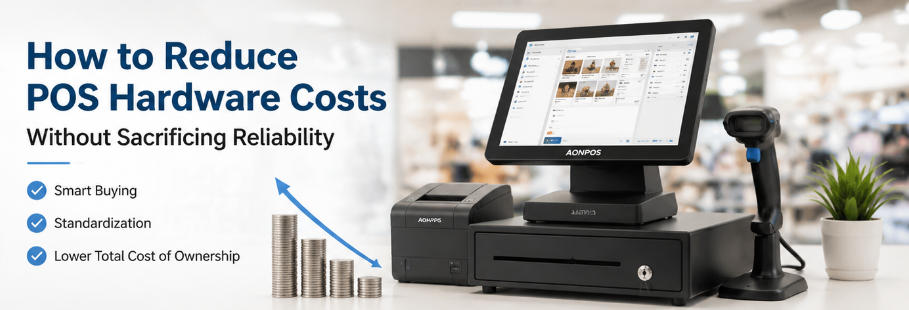
The quoted terminal price is only one part of the investment. A complete assessment should include equipment, shipping, integration, training, energy, maintenance, spare parts, downtime, and future upgrades.
A terminal that costs slightly more but operates reliably for five years may be less expensive than a cheaper model that requires frequent repairs or replacement after two years. Downtime is particularly costly in high-volume environments because every unavailable checkout lane can create longer queues, lost sales, and dissatisfied customers.
Before comparing suppliers, create a cost model for the expected service period. Three to five years is a practical planning window for many commercial POS deployments. This approach makes it easier to compare hardware quality, warranty terms, component availability, and upgrade flexibility rather than focusing only on the initial quotation.
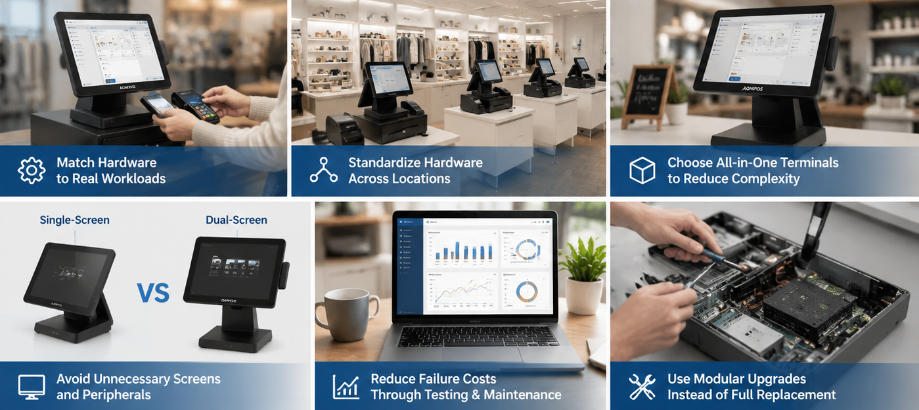
Over-specification is one of the most common sources of unnecessary POS spending. A small retail counter that processes basic sales, scans barcodes, and prints receipts may not need a high-end processor, maximum memory, or a large-capacity drive. At the same time, under-specification can create slow transactions and force an early upgrade.
Start by identifying the daily transaction volume, software requirements, connected peripherals, local databases, simultaneous applications, display needs, and likely expansion.
For basic checkout operations, an energy-efficient processor, moderate RAM, and an SSD may provide sufficient performance. More demanding applications—such as restaurant order management, multi-store synchronization, large inventory databases, or advanced analytics—may justify a stronger CPU and additional memory.
The goal is balanced configuration. AONPOS offers POS terminals with optional processors, memory, and storage, allowing buyers to align the specification with the application instead of paying for unused capacity. Buyers can review the company’s POS system range and select configurations according to software and transaction requirements.
Standardization can deliver substantial savings for chain stores, restaurant groups, franchise networks, and system integrators. When every location uses different terminals, printers, scanners, and connection standards, support becomes complicated and expensive.
A standardized platform simplifies software deployment, training, documentation, remote troubleshooting, spare-parts inventory, warranty processing, peripheral testing, and replacement.
For example, using one terminal family across multiple stores allows a technical team to prepare a common system image and maintain a smaller pool of spare units. Employees who transfer between locations also need less retraining.
Standardization does not require every checkout station to be identical. A business may define two or three approved configurations: a standard cashier terminal, a high-performance management station, and a compact or mobile unit. The key is to limit unnecessary variation.
A structured evaluation of CPU, memory, storage, display, and connectivity can help buyers build these approved configurations. The AONPOS guide on key factors in POS hardware selection offers a useful starting point for comparing core components.
Traditional POS installations may require a separate computer, touchscreen monitor, mounting system, power supplies, and multiple cables. An all-in-one terminal integrates core computing and display functions into a single commercial device.
This design means fewer components, faster installation, less cable management, simpler maintenance, lower space requirements, and fewer potential connection failures.
All-in-one hardware is especially practical for retail counters, cafés, bakeries, convenience stores, and restaurants where space and installation time matter.
However, buyers should still examine serviceability. Confirm whether storage and memory can be replaced, whether commonly used ports are available, and whether the manufacturer can supply compatible accessories. Integrated design should simplify ownership rather than create dependence on difficult-to-source parts.
A dual-screen POS terminal can improve customer interaction by displaying order details, prices, promotions, or loyalty information. However, not every checkout environment needs a second display.
A small service counter with limited customer-facing communication may be better served by a single-screen terminal. A supermarket, quick-service restaurant, or promotional retail environment may gain more value from a customer display.
The same principle applies to peripherals. Do not automatically purchase every possible accessory. Build the system around the actual workflow:
The comparison between dual-screen and single-screen POS systems can help buyers decide whether the additional screen creates measurable operational value. Compact single-screen systems may be an economical option for smaller businesses with limited counter space.
Businesses sometimes buy expensive proprietary hardware because they assume it is required by their POS software. Before committing, verify the software’s supported operating systems, processors, screen resolutions, ports, drivers, and peripheral protocols.
A clear compatibility checklist can prevent overspending and vendor lock-in. Ask the software provider:
Separating these decisions helps the buyer select commercially reliable hardware at the appropriate performance level. It also creates more negotiating flexibility and makes future replacements easier.
For a broader explanation of the roles of each layer, see POS software vs. hardware. Effective POS planning requires hardware and software to be evaluated together while recognizing their different functions.
A POS terminal may feel outdated because of one limiting component rather than the entire system. Replacing storage, adding memory, upgrading a customer display, or changing a scanner can sometimes extend the useful life of the installation at a fraction of the cost of complete replacement.
When selecting hardware, look for:
Modularity is particularly important for distributors and integrators supporting customers over several years. Standard ports and replaceable components make repairs faster and reduce the need to hold complete terminals as spares.
Before upgrading, confirm that the terminal’s processor and operating system will continue to support the software. Upgrading memory will not solve every performance issue, but a targeted component replacement can be highly cost-effective when the rest of the system remains reliable.
Bulk purchasing can reduce unit cost, but the lowest bulk quotation is not always the best commercial agreement. Buyers should negotiate the complete deployment package.
Important points include:
A staged order may be safer than purchasing the full volume immediately. Begin with samples, run software and peripheral compatibility tests, conduct a pilot deployment, and then move to larger production quantities. This process reduces the risk of discovering a costly issue after hundreds of units have shipped.
When evaluating manufacturers, buyers should examine production capability, customization support, quality control, warranty policies, and communication—not only price. The AONPOS article on choosing a Chinese POS hardware supplier highlights after-sales support, warranty terms, and total cost analysis as key procurement considerations.
Customization can either reduce cost or increase it, depending on how it is managed. Cosmetic changes, unique molds, non-standard connectors, and small production runs may add expense. On the other hand, carefully planned OEM or ODM customization can remove unnecessary features, simplify installation, strengthen branding, and create a standardized product for repeated orders.
Cost-effective customization may include branded packaging, selected CPU and memory combinations, a defined port layout, screen options, operating-system installation, peripheral bundles, and mounting solutions.
For distributors and solution providers, a defined product configuration can reduce sales complexity and support costs. Instead of building each order from unrelated components, the company can offer a tested, repeatable hardware package.
AONPOS has operated as a POS hardware manufacturer since 2012 and provides OEM/ODM services across terminals, touch monitors, kiosks, printers, scanners, and related equipment. This manufacturing focus can support buyers that require stable configurations or branded solutions.
The cheapest failure is the one that never happens. Hardware testing and basic preventive maintenance can significantly reduce emergency replacement costs.
Before deployment, test software stability, touchscreen response, peripheral compatibility, ports, networking, power recovery, heat management, and reconnection after interruptions.
After installation, create a simple maintenance schedule. Keep ventilation areas clear, inspect cables, clean touchscreens correctly, update approved drivers, and monitor storage health. Staff should know how to identify loose connections, printer jams, and network problems before escalating the issue.
Maintain a small pool of preconfigured spare units for critical locations. A preconfigured replacement can restore operations quickly and reduce urgent repair costs.
Before finalizing a POS hardware purchase, confirm that you have:
The most effective way to reduce POS hardware costs is to make better lifecycle decisions. Businesses save more by selecting the right configuration, standardizing equipment, testing compatibility, maintaining devices, and planning upgrades than by simply choosing the lowest initial price.
All-in-one terminals can reduce installation complexity, while selected peripherals prevent wasted spending. Modular configurations, supplier support, and spare-parts availability can extend service life and reduce downtime.
AONPOS supports retailers, restaurants, distributors, and system integrators with configurable POS hardware and manufacturing services. By aligning hardware specifications with real operational needs, buyers can control investment costs while building a stable checkout system that remains efficient as the business grows.
Tel / Whatsapp : +86 -15999943922
بريد إلكتروني : nikki@aonpostech.com


© 2026 شنتشن Aonpos التكنولوجيا المحدودة .كل الحقوق محفوظة