
POS for Furniture Retail: How to Choose the Right POS Hardware for Furniture Stores
Aug 30, 2026Furniture retail is unlike most high-frequency retail environments. A grocery store may process hundreds of small transactions every day, while a furniture showroom often handles fewer transactions with much higher average order values, longer decision cycles, multiple product variations, delivery arrangements, deposits, financing, and after-sales service.
That difference changes what retailers should expect from a point-of-sale setup.
For a furniture business, the best POS system is not simply the fastest checkout machine. It should support sales associates during longer customer conversations, give staff easy access to product and inventory information, handle complex orders reliably, and connect the showroom with the warehouse, delivery team, accounting platform, and eCommerce operation.
For furniture chains, software vendors, distributors, and system integrators, POS hardware also needs to remain stable over a long deployment cycle. This makes hardware configuration, peripheral compatibility, maintenance, and supplier support important purchasing factors.
This guide explains how to evaluate POS for Furniture Retail from a practical hardware and deployment perspective.
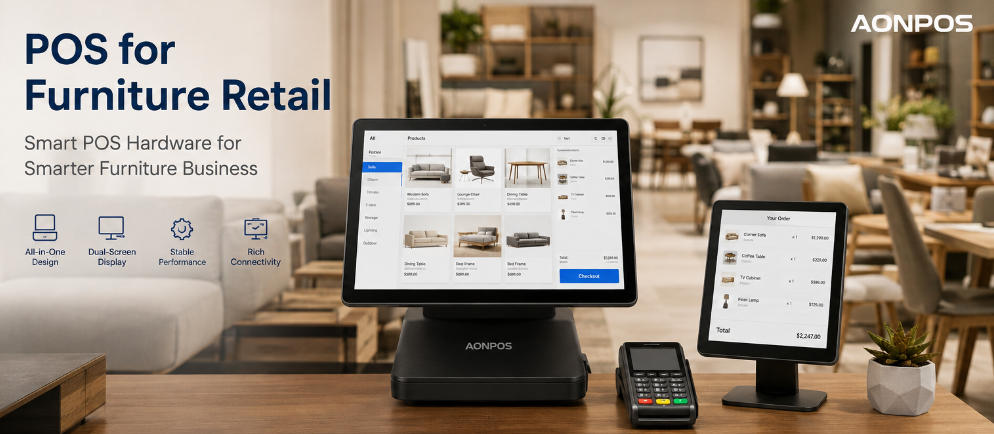
The transaction journey in a furniture store is usually more complex than a standard scan-and-pay checkout.
A customer may compare several sofas, select a fabric, choose a color, request a different size, add an extended warranty, arrange delivery, pay a deposit, and complete the balance later. A single order may include products located in different warehouses or items that have not yet arrived from the manufacturer.
Because of this, the POS terminal often functions as a sales workstation rather than only a payment station.
Sales associates may need to search large catalogs, view product images, confirm SKU variants, check warehouse availability, review customer history, prepare quotations, apply discounts, record delivery information, and take payments from the same device.
For this environment, furniture retailers should prioritize usability, stable computing performance, screen quality, connectivity, and integration flexibility.
Before selecting hardware, map the actual sales process.
When multiple retail operations happen through the same workstation, a conventional low-spec cash register can quickly become a bottleneck. Furniture retailers should instead select hardware around the POS software workload and the way employees actually assist customers.
The hardware requirements of a single-location furniture showroom can also be very different from those of a regional chain connected to multiple warehouses and an eCommerce platform.
Businesses comparing complete terminal configurations can begin with the AONPOS POS System range and then match processor, memory, storage, screen, and peripheral requirements to their software environment.
This workflow-first approach helps prevent overbuying unnecessary hardware while also reducing the risk of deploying terminals that become underpowered after future software upgrades.
Furniture POS software often handles more information per transaction than basic retail software. High-resolution product images, large SKU databases, CRM records, browser-based applications, inventory synchronization, and accounting or ERP integrations can increase the workload on the terminal.
The purchasing decision should therefore be based on actual software requirements rather than simply choosing the lowest-cost processor available.
For many commercial deployments, SSD storage is also preferable because it can improve boot speed, application responsiveness, and general system usability compared with traditional mechanical storage.
A furniture store may not have supermarket-level transaction volume, but slow hardware can still become frustrating. A salesperson may be standing next to a customer while searching for a particular sofa configuration, checking stock, changing delivery information, or opening historical customer records. Even small delays become noticeable during a long consultation.
A practical rule is to leave reasonable performance headroom. Hardware deployed today should still operate comfortably after future POS software updates, additional integrations, and larger product databases.
Furniture sales involve a substantial amount of visual information.
Employees may need to display product photos, dimensions, finishes, fabric options, availability, collections, promotions, and detailed order information. A larger touch display can make these activities easier than a compact payment-oriented screen.
A 15-inch or 15.6-inch touchscreen is a practical choice for many furniture retailers because it offers sufficient workspace without consuming excessive counter space. Larger displays may be appropriate for consultation areas or software interfaces containing particularly dense product information.
The physical appearance of the terminal should also fit the showroom environment.
Furniture retailers often invest heavily in visual merchandising, lighting, interior design, and premium displays. An oversized or outdated-looking cash register can appear inconsistent with that environment.
A clean all-in-one POS configuration can reduce cable clutter and make the checkout or consultation desk look more organized.
Dual-screen systems can be particularly useful in furniture retail.
While the employee manages the transaction on the primary display, a customer-facing screen can show selected products, prices, quantities, discounts, deposits, delivery charges, or other order information.
This can be valuable when an order contains multiple products or variations. Customers can visually confirm key details before payment, potentially reducing misunderstandings about configurations or pricing.
For example, when a customer orders a dining table, six chairs, a specific upholstery option, delivery, and an extended service package, presenting the information clearly on a second screen can improve transparency.
However, dual-screen POS hardware should not be purchased simply because it looks more modern.
Retailers should first confirm that their POS software supports useful customer-display functions. If the software only mirrors the employee interface, the operational benefit may be limited.
Furniture businesses evaluating their wider technology strategy can also review AONPOS's retail POS system buying guide, which discusses inventory, customer management, software features, and hardware selection for retail environments.
Furniture stores may use fewer barcode scans than supermarkets, but peripheral compatibility remains important.
Depending on the store workflow, a POS terminal may need to connect with a receipt printer, barcode scanner, cash drawer, customer display, payment terminal, label printer, keyboard, mouse, or external monitor.
Before ordering hardware in volume, buyers should create a simple port map for every terminal configuration.
Check the required quantity and type of USB, serial, LAN, display, audio, and other interfaces.
This becomes particularly important for POS distributors and system integrators. A terminal that performs perfectly during a basic software demonstration can become difficult to deploy when the finished project requires several peripherals simultaneously.
Planning connectivity before procurement can reduce additional adapters, external hubs, installation complexity, and troubleshooting later.
Furniture inventory is often distributed across a showroom, stockroom, warehouse, distribution center, and online store.
That makes reliable network connectivity essential.
If the POS platform is cloud-based, an unstable connection can interrupt product searches, order creation, payment processing, or inventory synchronization. Even locally installed applications increasingly depend on APIs, remote databases, and cloud services.
Retailers should also consider what happens if connectivity is temporarily interrupted.
This question involves both hardware and software. Stores may require backup connectivity, network redundancy, or POS applications capable of supporting selected offline operations.
For high-value furniture transactions, system stability can be especially important. Losing access to inventory or order information at the final stage of a long customer consultation creates a much larger service problem than a few seconds of delay at an ordinary checkout counter.
Some furniture businesses prefer a centralized checkout or customer-service counter. Others want employees to build orders at consultation stations distributed throughout a large showroom.
These layouts create different hardware requirements.
A traditional all-in-one POS terminal works well at fixed service desks. Compact terminals can support smaller consultation counters, while additional touch monitors may be useful for areas where staff frequently present product information.
Handheld devices can also complement fixed POS stations when employees need to check inventory or assist customers away from a service desk.
Standardizing the main hardware configuration across stores can simplify software installation, employee training, spare-parts planning, maintenance, and technical support.
This becomes increasingly important as a furniture retailer expands from several locations to dozens or even hundreds of stores.
Furniture stores are normally less demanding environments than commercial kitchens or industrial facilities, but commercial POS terminals still operate for long hours and may remain in service for several years.
For buyers deploying dozens or hundreds of terminals, even small hardware inconsistencies can create significant support work.
Instead of comparing only purchase prices, retailers and solution providers should consider total cost over the expected deployment period.
This includes hardware reliability, replacement parts, downtime, technician visits, installation work, compatibility problems, and the operational disruption caused by terminal failures.
Hardware that costs slightly more initially may become more economical if it provides greater configuration consistency and requires fewer service interventions throughout its lifecycle.
For multi-store furniture chains, lifecycle planning should therefore be part of the original procurement process rather than something considered only after terminals begin failing.
The furniture POS software should determine operating system and hardware requirements—not the other way around.
Windows remains common for many retail deployments because of broad software, driver, and peripheral compatibility. Android may be suitable for lighter applications or specialized cloud-based systems.
Before a bulk purchase, the software provider or integrator should test:
POS application performance
touchscreen drivers
payment device compatibility
receipt and document printers
barcode scanners
customer displays
network behavior
sleep and power settings
remote management tools
operating system updates
A real-world pilot is especially important when the final deployment includes multiple third-party devices.
Testing the complete solution helps identify compatibility problems before hundreds of terminals reach individual stores.
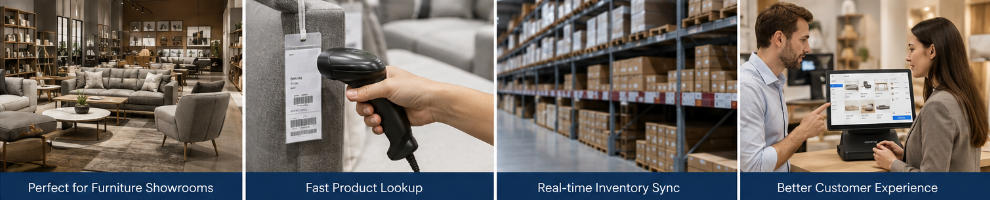
Large furniture brands, POS software companies, distributors, and solution providers may need more than a standard off-the-shelf terminal.
This is where OEM or ODM cooperation can become useful.
A customized hardware program can help a solution provider maintain a consistent product offering across different furniture retail projects. It can also simplify procurement when the same terminal platform requires different specifications for standard stores, flagship locations, or regional markets.
Potential customization areas may include processor configuration, memory, SSD capacity, display configuration, ports, enclosure appearance, branding, packaging, and peripheral combinations.
AONPOS focuses on commercial POS hardware manufacturing and supports OEM/ODM configurations for different deployment requirements. Buyers developing branded or project-specific solutions can also review the AONPOS custom POS hardware resources when planning hardware specifications.
The goal of customization should always be practical.
For example, changing enclosure branding may support a software company's market positioning, while adding specific ports, memory, storage, or display options can directly simplify deployment and improve system compatibility.
A furniture retailer or system integrator can reduce procurement mistakes by documenting the approved configuration before placing a volume order.
The checklist should cover the POS software, operating system, CPU, memory, SSD capacity, touchscreen size, second display requirements, payment terminal, printer, scanner, cash drawer, network method, required ports, stand design, warranty conditions, spare units, and support strategy.
For multi-location projects, define one standard configuration and document any approved variations.
This prevents individual stores from purchasing incompatible peripherals or replacing terminals with untested hardware later.
It also makes future expansion easier because new locations can reproduce a proven hardware setup rather than starting the selection process again.
There is no universal configuration, but an effective POS for Furniture Retail setup usually has four important characteristics.
First, it provides enough computing performance to handle catalog, inventory, CRM, and order-management tasks without slowing down customer consultations.
Second, it provides an appropriately sized touchscreen and physical design for the showroom environment.
Third, it offers sufficient connectivity for the store's actual peripherals and network architecture.
Fourth, it is standardized and maintainable throughout the expected deployment lifecycle.
For furniture chains and solution providers, additional considerations such as configuration consistency, lifecycle support, OEM customization, supplier capacity, and spare-parts availability become increasingly important as the number of stores grows.
The correct specification is therefore not necessarily the highest specification. It is the configuration that reliably supports the software and workflow while avoiding unnecessary hardware cost.
Choosing POS for Furniture Retail should begin with the customer journey rather than the checkout counter alone.
Furniture sales combine product discovery, configuration, inventory confirmation, quotation, payment, delivery, and after-sales service. The POS terminal therefore needs to operate as a reliable sales workstation connecting these activities without creating unnecessary friction.
Retailers should begin with their software and workflow requirements and then select the processor, memory, SSD, screen, interfaces, peripherals, and terminal design required to support them.
A pilot deployment should also come before a large rollout, particularly for furniture chains and integrated retail projects.
For POS software providers, distributors, system integrators, and furniture retail brands requiring standardized commercial hardware, AONPOS offers all-in-one POS terminals and OEM/ODM configuration options for different retail deployment requirements.
The right POS hardware cannot replace effective software or well-designed store operations. However, when hardware is selected carefully, it creates a stable foundation that helps sales teams serve customers efficiently and gives furniture retailers a platform they can scale across future stores and markets.
Tel / Whatsapp : +86 -15999943922
بريد إلكتروني : nikki@aonpostech.com


© 2026 شنتشن Aonpos التكنولوجيا المحدودة .كل الحقوق محفوظة