How to Choose the Best Self-Service Kiosk Manufacturer for Your Business?
Mar 21, 2026
In today’s rapidly evolving digital economy, self-service kiosks have become a cornerstone of modern customer engagement and operational efficiency. From retail and hospitality to healthcare, transportation, and banking, businesses are increasingly adopting kiosk solutions to streamline transactions, reduce labor costs, and enhance user experience.
However, the success of any kiosk deployment depends heavily on selecting the right self-service kiosk manufacturer. This decision goes far beyond comparing prices—it requires a deep evaluation of engineering capabilities, product quality, compliance standards, customization flexibility, and long-term support.
Choosing the wrong partner can lead to system failures, security vulnerabilities, costly downtime, and poor user adoption. On the other hand, partnering with a reliable and experienced manufacturer ensures scalable, secure, and future-proof kiosk solutions that align with your business goals.
This comprehensive guide outlines the key factors to consider when choosing the best self-service kiosk manufacturer, helping you make an informed and strategic decision.
Why Choosing the Right Kiosk Manufacturer Matters
A self-service kiosk is not just a piece of hardware—it is a fully integrated system combining software, payment technology, user interface design, and physical durability. The manufacturer you choose will influence:
Product reliability and lifespan
Customer experience and usability
Compliance with payment and security standards
Ease of integration with existing systems
Maintenance and support efficiency
A high-quality kiosk solution can improve operational efficiency, increase revenue opportunities, and strengthen brand perception. Conversely, a poorly designed system can negatively impact customer satisfaction and business performance.
Key Factors to Consider When Choosing a Self-Service Kiosk Manufacturer
1. Manufacturing Experience and Technical Expertise
Experience is one of the most critical indicators of a manufacturer’s reliability. Established kiosk manufacturers bring years of industry knowledge, refined production processes, and proven design capabilities.
When evaluating experience, consider whether the manufacturer offers:
Industrial Design CapabilitiesA professional manufacturer should have an in-house design team capable of creating ergonomic, intuitive, and visually appealing kiosks. Good design ensures accessibility, ease of use, and alignment with your brand identity.
Metal Fabrication and Structural EngineeringDurability is essential, especially for kiosks deployed in high-traffic or outdoor environments. Manufacturers with advanced metal fabrication capabilities can produce robust enclosures that resist wear, vandalism, and environmental damage.
Hardware Integration ExpertiseKiosks typically integrate multiple components, including:
Touchscreens
Payment terminals (card, NFC, QR)
Barcode or QR scanners
Printers
Cameras and biometric devices
A skilled manufacturer ensures seamless integration of these components, reducing compatibility issues and improving system stability.
In-House Production vs. OutsourcingManufacturers with vertically integrated production processes generally provide better quality control, faster turnaround times, and more consistent results compared to those relying heavily on outsourcing.
2. Customization Capabilities
Every business has unique operational requirements, branding guidelines, and user interaction needs. Therefore, customization is a key differentiator when selecting a kiosk manufacturer.
Look for a partner that offers:
Flexible hardware configurations tailored to your use case
Custom enclosure design to match your brand identity
Modular architecture for easy upgrades and scalability
Software integration support with your existing systems
Customization ensures that the kiosk aligns with your workflow rather than forcing your business to adapt to a rigid, off-the-shelf solution.
3. Compliance with Global Certifications
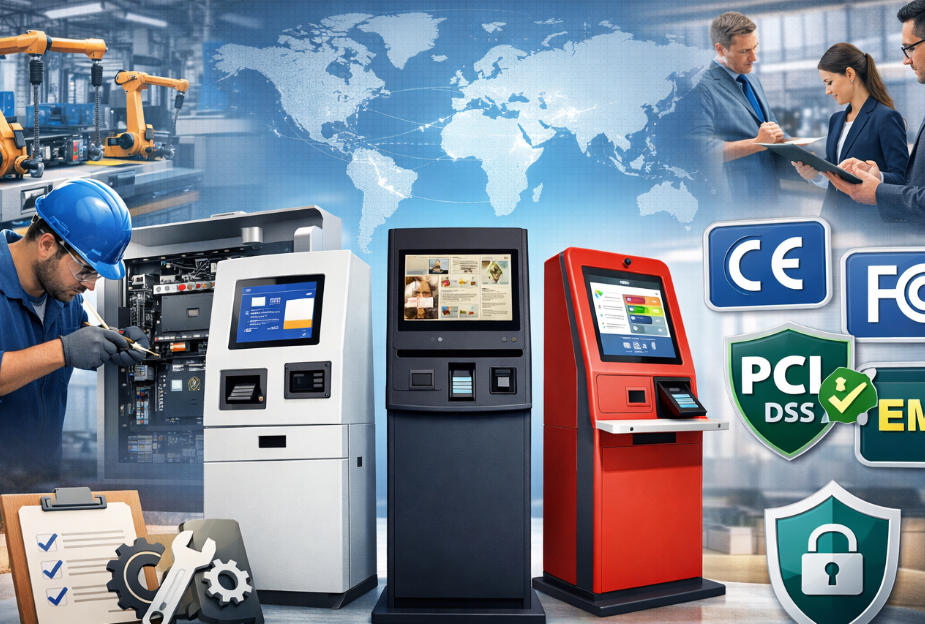
Regulatory compliance is essential, particularly for kiosks handling financial transactions or operating across multiple regions. A reputable manufacturer should meet internationally recognized standards, including:
CE CertificationIndicates compliance with European safety, health, and environmental requirements.
FCC ComplianceEnsures that electronic devices meet U.S. electromagnetic interference standards.
PCI DSS (Payment Card Industry Data Security Standard)Protects cardholder data and ensures secure payment processing.
EMV CertificationEnables secure chip-based payment transactions and reduces fraud risk.
Failure to meet these standards can result in legal penalties, operational disruptions, and loss of customer trust. Always request documentation to verify certifications.
4. Product Quality and Reliability
Kiosk systems are often deployed in demanding environments where reliability is critical. Poor-quality hardware can lead to frequent breakdowns, increased maintenance costs, and negative customer experiences.
Key aspects to evaluate include:
Material quality (steel thickness, coatings, finishes)
Component durability (industrial-grade vs. consumer-grade parts)
Thermal management systems for overheating prevention
Weatherproofing and vandal resistance for outdoor units
Ask potential manufacturers about their quality control processes, testing procedures, and failure rates. Reliable manufacturers will have strict QA protocols and documented performance metrics.
5. Software Integration and Ecosystem Compatibility
A kiosk is only as effective as the software it runs. While some manufacturers focus solely on hardware, the best partners provide comprehensive support for software integration.
Consider whether the manufacturer can:
Integrate with your POS, ERP, or CRM systems
Support multiple operating systems (Windows, Android, Linux)
Provide APIs or SDKs for custom development
Ensure compatibility with payment gateways and third-party applications
Seamless integration reduces deployment complexity and ensures a smoother user experience.
6. Payment Technology Expertise
For businesses deploying payment kiosks, secure and versatile payment integration is essential. The manufacturer should support a wide range of payment methods, including:
EMV chip cards
Contactless/NFC payments (Apple Pay, Google Pay)
QR code payments
Cash and coin modules (if required)
Additionally, the manufacturer should understand payment security protocols and work with certified payment hardware providers.
7. Scalability and Future-Proof Design
As your business grows, your kiosk deployment may need to expand or evolve. A good manufacturer designs solutions with scalability in mind.
Look for features such as:
Modular components for easy upgrades
Support for new payment technologies
Expandable hardware configurations
Remote management capabilities
Future-proofing reduces the need for costly replacements and ensures long-term value.
8. After-Sales Support and Maintenance Services
Reliable after-sales support is just as important as the product itself. Even the best kiosks require maintenance, updates, and occasional repairs.
Evaluate the manufacturer’s support offerings, including:
Warranty terms and coverage
Technical support availability
Spare parts supply
Remote diagnostics and troubleshooting
On-site maintenance services (if applicable)
A responsive support team minimizes downtime and keeps your operations running smoothly.
9. Production Capacity and Lead Time
Timely delivery is crucial, especially for large-scale deployments. Manufacturers with strong production capabilities can handle bulk orders without compromising quality.
Ask about:
Monthly production capacity
Typical lead times
Supply chain stability
Ability to scale production quickly
Delays in manufacturing can disrupt project timelines and increase costs.
10. Industry Experience and Case Studies
A manufacturer with experience in your specific industry will better understand your requirements and challenges.
Request case studies or references related to:
Retail self-checkout kiosks
Ticketing kiosks
Healthcare check-in systems
Banking or financial service kiosks
Proven success in similar projects is a strong indicator of reliability and expertise.
Common Mistakes to Avoid
When selecting a self-service kiosk manufacturer, businesses often make avoidable mistakes, such as:
Choosing based solely on price instead of long-term value
Ignoring certification requirements
Overlooking customization limitations
Failing to assess after-sales support
Not verifying real-world performance and references
Avoiding these pitfalls can save significant time, money, and operational headaches.
Benefits of Partnering with the Right Manufacturer
Selecting the right kiosk manufacturer offers numerous advantages:
Improved operational efficiency
Enhanced customer experience
Reduced labor costs
Increased transaction speed
Stronger data security
Long-term scalability
A reliable partner becomes an extension of your business, supporting your growth and innovation strategies.
Choosing the best self-service kiosk manufacturer is a critical investment that impacts every aspect of your kiosk deployment—from design and functionality to security and long-term performance.
By carefully evaluating factors such as manufacturing expertise, customization capabilities, certification compliance, product quality, and support services, businesses can identify a partner that delivers reliable and future-ready solutions.
In a competitive market where customer expectations continue to rise, the right kiosk manufacturer can provide a significant strategic advantage—enabling your business to operate more efficiently, serve customers better, and stay ahead of technological trends.