How to Choose a Supermarket POS System
Jul 08, 2026Running a successful supermarket requires more than simply stocking shelves. Fast checkout, accurate inventory management, customer satisfaction, and operational efficiency all depend on selecting the right supermarket POS system.
Whether you're opening a new grocery store, upgrading existing equipment, or sourcing POS hardware for OEM/ODM projects, choosing the right solution can significantly improve daily operations and long-term profitability.
This guide explains the most important factors to consider before investing in a supermarket POS system.
Unlike ordinary retail stores, supermarkets process hundreds or even thousands of transactions every day. A reliable supermarket POS system helps businesses:
The right hardware also minimizes downtime and reduces maintenance costs, making it a valuable long-term investment.
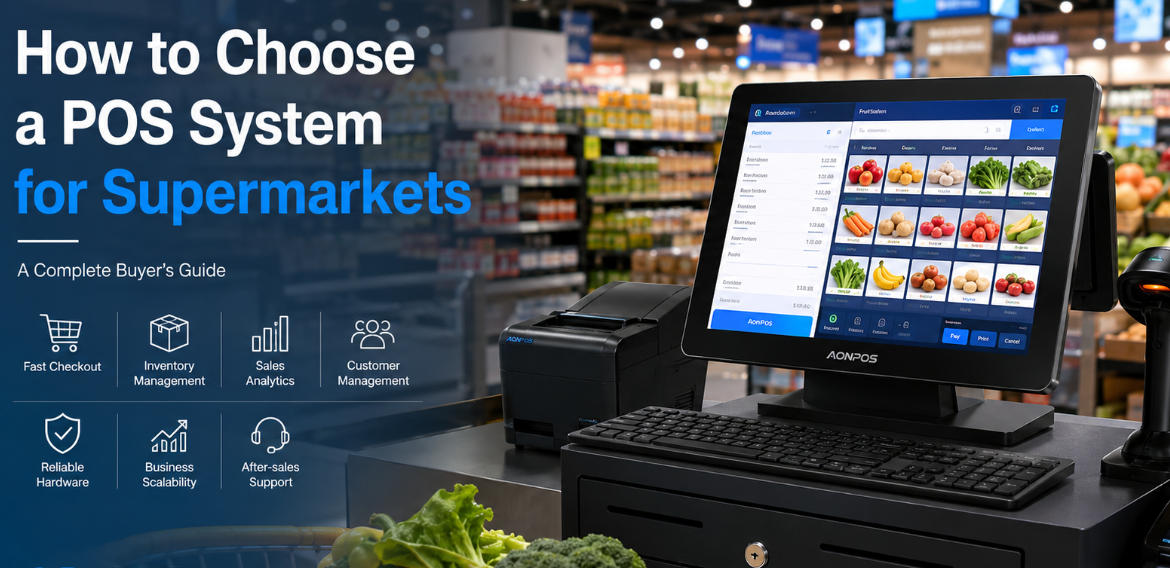
Before comparing different POS solutions, define your operational needs.
Consider questions such as:
A neighborhood grocery store has very different requirements from a large supermarket chain. Selecting hardware that matches your business scale helps avoid unnecessary costs while ensuring room for future expansion.
Software often receives most of the attention, but hardware reliability is equally important.
A supermarket POS terminal typically operates for 10–16 hours every day. Durable commercial-grade hardware reduces failures during peak shopping hours.
Essential hardware includes:
A commercial-grade POS system should provide stable performance, flexible interfaces, and compatibility with mainstream POS software platforms. As an experienced OEM/ODM manufacturer, AONPOS designs hardware specifically for demanding retail environments, supporting Windows and Android platforms with customizable configurations.
Inventory management is one of the biggest challenges for supermarkets.
A modern supermarket POS system should allow you to:
Accurate inventory helps reduce shrinkage while improving purchasing decisions.
Long queues directly impact customer satisfaction.
A high-performance supermarket POS solution should support:
The combination of responsive POS software and high-performance hardware significantly improves checkout efficiency during busy shopping periods.
Your business will likely grow.
Instead of purchasing hardware that only meets today's needs, choose a supermarket POS system capable of future upgrades.
Important expansion options include:
Expandable hardware protects your investment while simplifying future upgrades.
One common purchasing mistake is selecting hardware that supports only limited software platforms.
Before purchasing, confirm compatibility with:
Open architecture provides greater flexibility and lowers switching costs if your software requirements change.
Supermarkets are busy environments.
POS equipment must withstand:
Commercial-grade components typically provide longer service life and lower maintenance costs than consumer-grade alternatives.
When evaluating suppliers, pay attention to CPU options, SSD storage, cooling design, and industrial touchscreen quality.
For distributors, wholesalers, and system integrators, customization can provide a competitive advantage.
Many hardware manufacturers now offer:
As an experienced OEM/ODM manufacturer, AONPOS offers flexible customization services for partners worldwide, helping businesses build their own branded POS hardware solutions.
Even the best hardware occasionally requires technical assistance.
Before selecting a supplier, ask about:
Reliable after-sales service minimizes downtime and protects your investment over the long term.
A typical supermarket checkout station includes:
| Hardware | Recommendation |
|---|---|
| POS Terminal | 15" or 15.6" capacitive touchscreen |
| CPU | Intel J4125 / Core i3 / Core i5 |
| Memory | 8GB RAM or above |
| Storage | 128GB SSD or higher |
| Barcode Scanner | 1D/2D scanner |
| Receipt Printer | 80mm thermal printer |
| Cash Drawer | Standard RJ11 cash drawer |
| Customer Display | Dual-screen display recommended |
Businesses operating multiple checkout lanes may also benefit from dual-screen POS terminals, which improve cashier productivity while enhancing the customer experience.
AONPOS specializes in designing and manufacturing commercial POS hardware for retailers, supermarkets, restaurants, and system integrators worldwide.
Key advantages include:
Whether you're sourcing POS terminals for a single supermarket or an international retail project, AONPOS provides scalable hardware solutions designed for long-term performance.
Choosing the right supermarket POS system is about more than comparing specifications or prices. The ideal solution should improve checkout efficiency, simplify inventory management, support future expansion, and provide dependable performance for years to come.
By carefully evaluating hardware quality, software compatibility, scalability, and supplier support, supermarkets can build a reliable POS infrastructure that grows alongside their business.
If you're looking for customizable supermarket POS hardware backed by OEM/ODM expertise, AONPOS offers a comprehensive range of professional solutions for retailers worldwide.
Tel / Whatsapp : +86 -15999943922
بريد إلكتروني : nikki@aonpostech.com


© 2026 شنتشن Aonpos التكنولوجيا المحدودة .كل الحقوق محفوظة