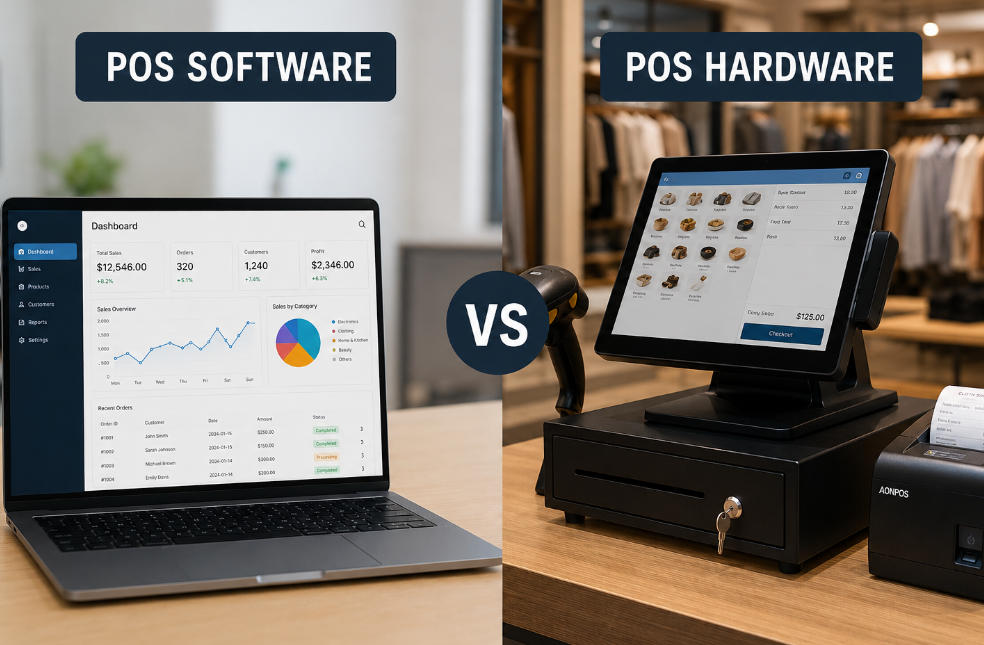
POS Software vs Hardware: A Strategic Comparison for Modern Businesses
May 06, 2026
Understanding the distinction between POS software and hardware is no longer a basic technical question—it is a strategic decision that directly impacts operational efficiency, scalability, and customer experience. As POS systems evolve into comprehensive business infrastructures, companies must evaluate not only what each component does, but how they interact within a unified ecosystem.
This article provides a structured, professional comparison of POS software vs hardware, with a focus on decision-making for retail, restaurant, and multi-location business environments.
Defining POS Software and POS Hardware
POS software refers to the digital system that manages transactions, business logic, and operational data. It includes modules for sales processing, inventory management, reporting, CRM, and integrations with third-party systems.
POS hardware, by contrast, consists of the physical devices used to execute transactions and interact with both staff and customers. These include POS terminals, touchscreens, barcode scanners, receipt printers, and payment devices.
While software defines how the business operates, hardware determines how efficiently those operations are executed in real-world environments.
POS Software vs Hardware: Core Functional Differences
The table below highlights the fundamental differences from a system architecture and operational perspective:
Dimension
POS Software
POS Hardware
Core Role
Transaction logic & data processing
Transaction execution & user interaction
Nature
Intangible (cloud or local application)
Physical equipment
Flexibility
Highly configurable, scalable
Limited by form factor and specifications
Upgrade Cycle
Frequent (updates, patches, SaaS improvements)
Slower (hardware replacement or upgrades)
Cost Structure
Subscription or license-based
One-time investment + maintenance
Integration
Connects with ERP, CRM, payment gateways
Connects with software and peripherals
Dependency
Requires hardware to operate in physical stores
Requires software to function meaningfully
Operational Impact: Where the Differences Matter
Beyond definitions, the distinction between POS software vs hardware becomes critical in operational scenarios.
1. Speed and Efficiency
Software determines transaction flow and automation level.
Hardware determines checkout speed, responsiveness, and durability under high-volume conditions.
For example, in quick-service restaurants, even minor hardware latency can create bottlenecks, regardless of how optimized the software is.
2. Scalability
Software scales horizontally (new locations, users, features).
Hardware scales physically (additional terminals, kiosks, peripherals).
Businesses planning multi-location expansion must ensure both layers scale in parallel, not independently.
3. Reliability and Downtime Risk
Factor
Software Risk
Hardware Risk
Failure Type
Bugs, crashes, connectivity issues
Physical wear, overheating, component failure
Recovery
Restart, patch, cloud redundancy
Repair, replacement, spare units required
Business Impact
Data disruption
Transaction interruption
A resilient POS strategy requires redundancy in both layers—not just cloud backups, but also reliable, industrial-grade hardware.
4. User Experience
POS software influences:
Interface design
Workflow complexity
Training requirements
POS hardware influences:
Touch responsiveness
Screen visibility
Ergonomics and counter layout
The best user experience comes from aligning intuitive software with purpose-built hardware—not mixing consumer-grade devices with enterprise workflows.
Integration: Why Software and Hardware Must Be Designed Together
One of the most common mistakes in POS deployment is treating software and hardware as separate procurement decisions.
In reality:
Poor hardware can limit software performance
Incompatible software can underutilize hardware capabilities
Disjointed systems increase maintenance complexity
This is why many B2B buyers are shifting toward integrated POS ecosystems.
AONPOS, for example, focuses on hardware systems designed to align with modern POS software environments—such as all-in-one terminals, dual-screen configurations, and industry-specific form factors for retail and hospitality. This approach reduces compatibility issues and simplifies deployment across different business scenarios.
Industry-Specific Considerations
Different industries prioritize different aspects of POS software vs hardware:
Industry
Software Priority
Hardware Priority
Retail
Inventory accuracy, omnichannel sync
Barcode scanning, durability
Restaurants
Order management, kitchen integration
Touch speed, spill resistance
Supermarkets
High-volume processing
Multi-terminal scalability
Hospitality
CRM, booking integration
Mobility and design
Healthcare
Compliance, data security
Reliability and hygiene
Choosing the wrong balance can lead to inefficiencies that compound over time.
Strategic Buying Perspective
When evaluating POS systems, decision-makers should avoid asking:
“Which is more important: software or hardware?”
Instead, the better question is:
“How well are the software and hardware designed to work together for my specific business model?”
For a deeper breakdown of how to select the right POS system across industries, you can refer to this comprehensive guide:https://www.aonpostech.com/best-pos-system-for-restaurants-retail-in-2026-complete-b2b-buyer-guide
Future Trends: Convergence of Software and Hardware
The line between POS software and hardware is becoming increasingly blurred due to:
Cloud-native POS platforms
Android-based POS terminals
AI-driven analytics integrated into POS systems
Self-service kiosks and unattended retail
In this evolving landscape, hardware is no longer just a tool—it is becoming an extension of the software experience.
Companies that align both layers strategically will gain a measurable advantage in speed, consistency, and scalability.
Conclusion
The difference between POS software vs hardware is foundational—but the real value lies in their integration.
Software delivers intelligence, automation, and insights
Hardware delivers execution, speed, and physical reliability
Businesses that treat them as a unified system—not separate components—are better positioned to optimize operations and scale efficiently.
For B2B buyers, especially in retail and hospitality, investing in compatible, purpose-built POS infrastructure is no longer optional—it is a competitive necessity.